docs/index.md
Rama main · réplica de lectura del repositorio original.
---
hide:
- navigation
---
<p align="center">
<img src="https://raw.githubusercontent.com/Gill-Bates/wirebuddy/main/.github/img/wirebuddy_black.svg" width="400" alt="WireBuddy Logo" class="wb-logo-light">
<img src="https://raw.githubusercontent.com/Gill-Bates/wirebuddy/main/.github/img/wirebuddy_white.svg" width="400" alt="WireBuddy Logo" class="wb-logo-dark">
</p>
<p align="center">
<strong>Modern WireGuard VPN Management with Integrated DNS Ad-Blocking</strong>
</p>
<p align="center">
<a href="https://github.com/Gill-Bates/wirebuddy/releases"><img src="https://img.shields.io/github/v/release/Gill-Bates/wirebuddy?logo=github&logoColor=white" alt="GitHub Release"></a>
<a href="https://hub.docker.com/r/giiibates/wirebuddy"><img src="https://img.shields.io/docker/pulls/giiibates/wirebuddy?logo=docker&logoColor=white" alt="Docker Pulls"></a>
<a href="https://github.com/Gill-Bates/wirebuddy"><img src="https://img.shields.io/badge/License-MIT-blue.svg" alt="License"></a>
</p>
---
## What is WireBuddy?
WireBuddy is a web interface for managing WireGuard VPN servers with built-in DNS ad-blocking. It adds multi-user authentication (roles, passkeys, TOTP) and multi-node clustering on top of plain WireGuard management.
## Key Features
<div class="grid cards" markdown>
- :material-shield-lock:{ .lg .middle } **Secure VPN Management**
---
Multi-interface WireGuard management with automatic keypair generation, routing presets, and QR codes for easy mobile setup.
[:octicons-arrow-right-24: WireGuard Features](features/wireguard.md)
- :material-earth:{ .lg .middle } **Multi-Node Deployment**
---
Deploy WireGuard servers across multiple countries/regions with centralized management, automatic config sync, and per-peer node assignment.
[:octicons-arrow-right-24: Multi-Node Guide](features/multi-node.md)
- :material-dns:{ .lg .middle } **DNS Ad-Blocking**
---
Integrated Unbound resolver with customizable blocklists, DNS-over-TLS, real-time query logging, and per-client custom rules.
[:octicons-arrow-right-24: DNS Features](features/dns.md)
- :material-chart-line:{ .lg .middle } **Analytics & Monitoring**
---
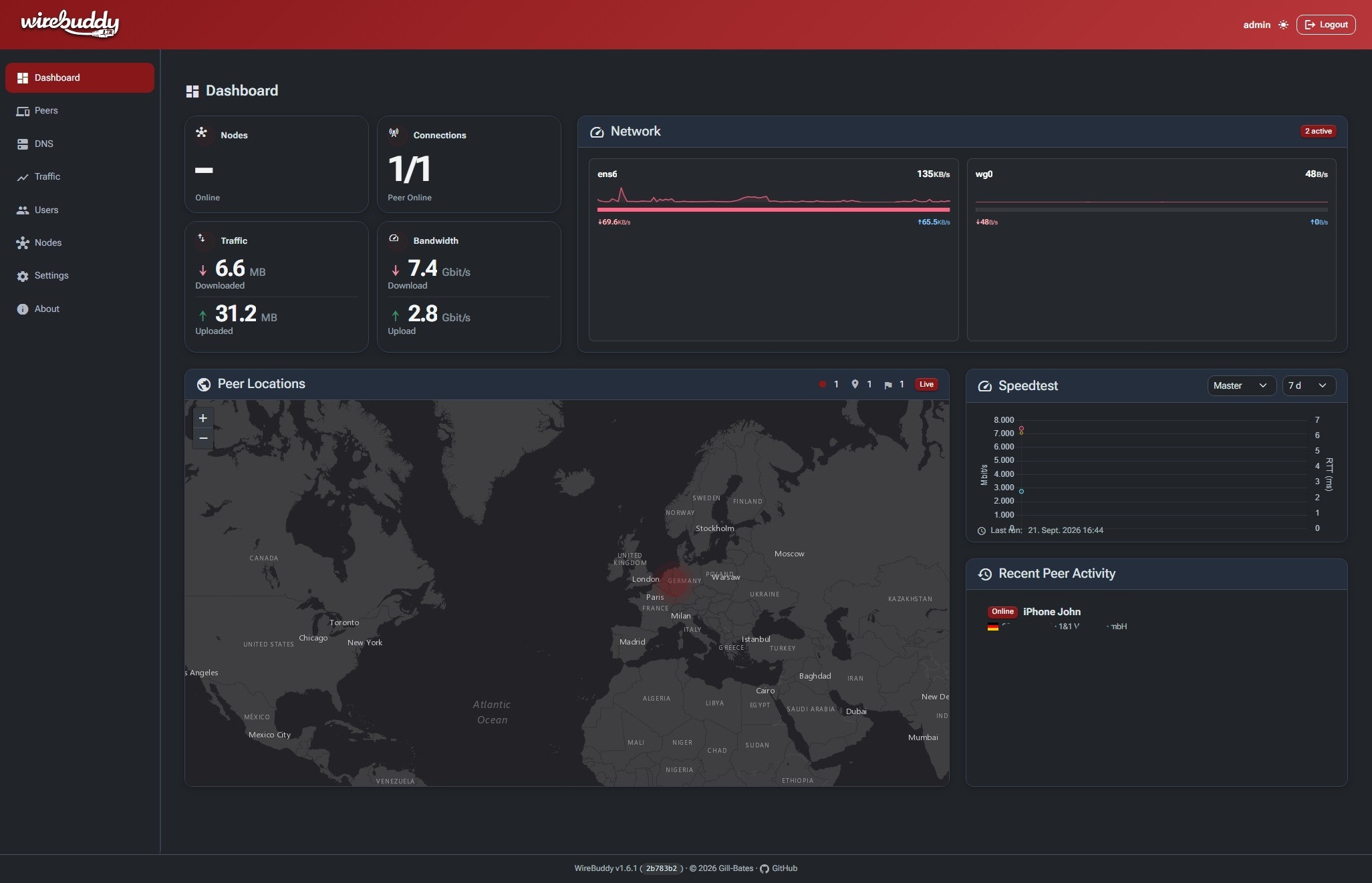
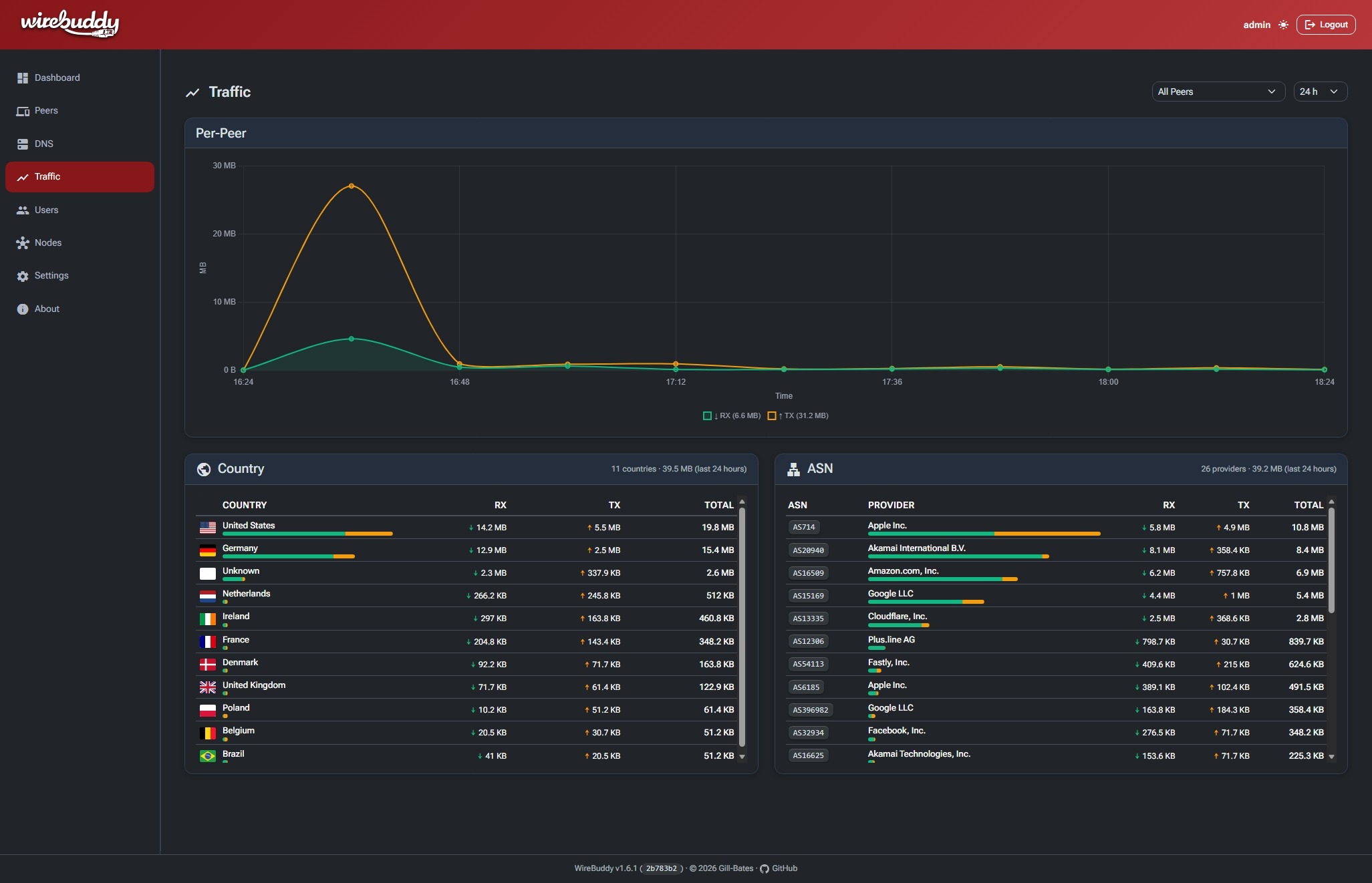
Built-in time-series database with per-peer traffic charts, GeoIP mapping, and traffic analysis by country & ASN.
[:octicons-arrow-right-24: Monitoring](features/monitoring.md)
- :material-account-lock:{ .lg .middle } **Advanced Authentication**
---
Multi-user support with Passkeys (WebAuthn), TOTP, and granular role-based access control.
[:octicons-arrow-right-24: User Management](features/users.md)
- :material-certificate:{ .lg .middle } **Let's Encrypt Integration**
---
Built-in ACME client with HTTP-01 challenge for automatic SSL certificate management.
[:octicons-arrow-right-24: ACME](features/acme.md)
- :material-palette:{ .lg .middle } **Modern Web UI**
---
Responsive Bootstrap 5 interface with dark/light/auto theme and Material Design icons.
[:octicons-arrow-right-24: Getting Started](getting-started/quick-start.md)
</div>
## Quick Start
Get WireBuddy up and running in minutes:
```bash
git clone https://github.com/Gill-Bates/wirebuddy.git
cd wirebuddy
cp .env-example .env
# Edit .env and set WIREBUDDY_SECRET_KEY.
docker compose --env-file .env -f docker/docker-compose.yml up -d
```
!!! success "Default Access"
Navigate to `http://localhost:8000` and login with:
- **Username:** `admin`
- **Password:** printed once to the console at first startup (not logged, not stored). Read it with `docker logs wirebuddy`
!!! warning
On first login WireBuddy redirects you to a mandatory password change screen; the temporary password is invalidated once you set a new one.
[:material-rocket-launch: Full Installation Guide](getting-started/installation.md){ .md-button .md-button--primary }
[:material-book-open-page-variant: Quick Start](getting-started/quick-start.md){ .md-button }
## Screenshots
=== "Dashboard"
=== "Traffic"
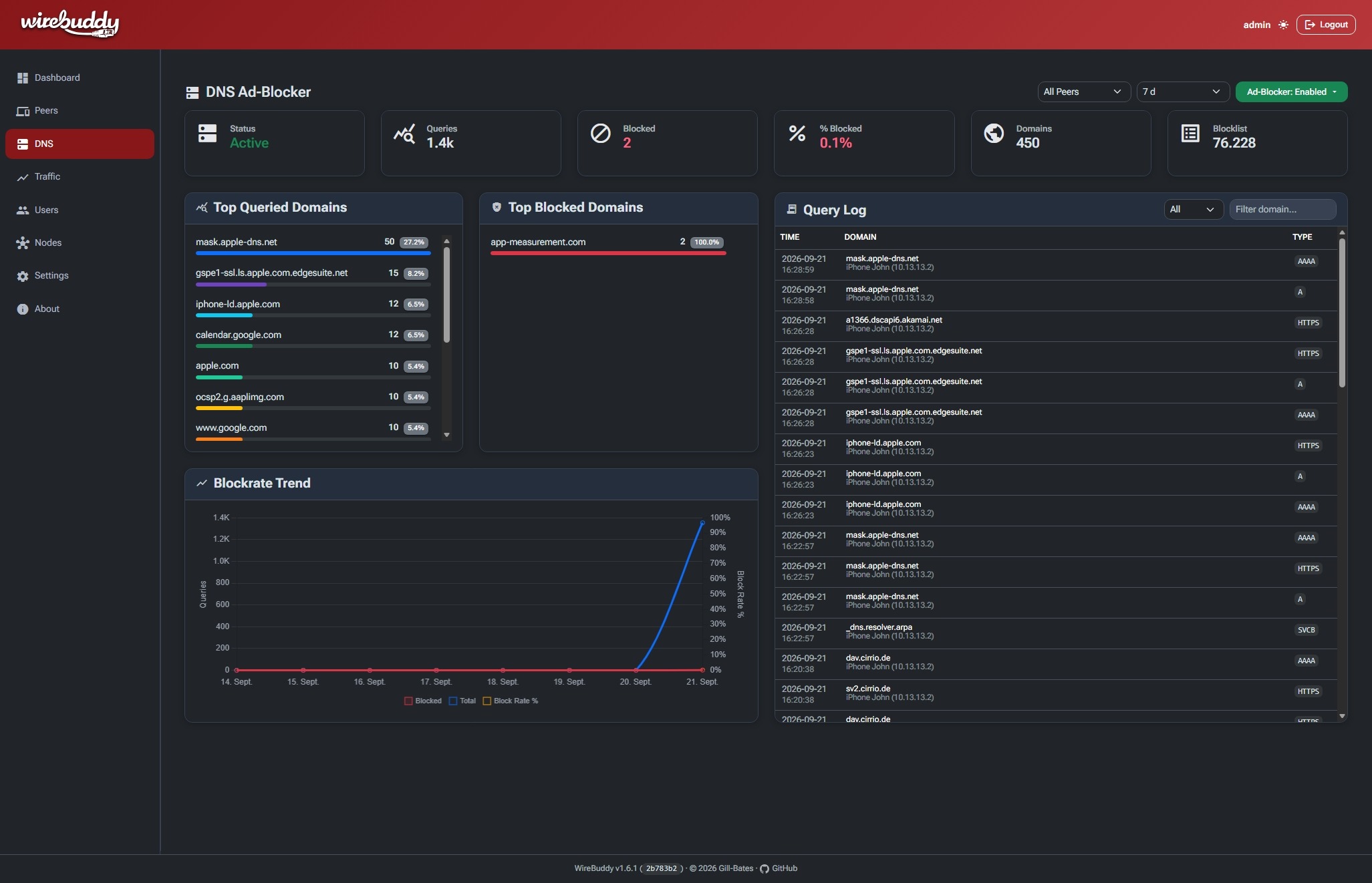
=== "DNS Ad-Blocker"
## Security
Authentication, secret storage, CSRF and rate-limiting behaviour, and container
hardening are described in the [Security Overview](security/overview.md).
## Community & Support
<div class="grid" markdown>
[:fontawesome-brands-github: GitHub Repository](https://github.com/Gill-Bates/wirebuddy){ .md-button }
[:fontawesome-brands-docker: Docker Hub](https://hub.docker.com/r/giiibates/wirebuddy){ .md-button }
[:material-bug: Report Issues](https://github.com/Gill-Bates/wirebuddy/issues){ .md-button }
</div>
## License
WireBuddy is licensed under the [MIT License](https://github.com/Gill-Bates/wirebuddy/blob/main/LICENSE).
---
<p align="center">
Made with ☕ by <a href="https://github.com/Gill-Bates">Gill-Bates</a>
</p>