README.md
Rama master · réplica de lectura del repositorio original.
# TeslaLogger
<!-- PROJECT SHIELDS -->
<!--
*** I'm using markdown "reference style" links for readability.
*** Reference links are enclosed in brackets [ ] instead of parentheses ( ).
*** See the bottom of this document for the declaration of the reference variables
*** for contributors-url, forks-url, etc. This is an optional, concise syntax you may use.
*** https://www.markdownguide.org/basic-syntax/#reference-style-links
-->
[![Contributors][contributors-shield]][contributors-url] [![Forks][forks-shield]][forks-url] [![Stargazers][stars-shield]][stars-url] [![Issues][issues-shield]][issues-url]
[](https://github.com/bassmaster187/TeslaLogger/actions/workflows/dotnet-desktop.yml)
[](https://hosted.weblate.org/engage/teslalogger/)
TeslaLogger is a self hosted data logger for your Tesla Model S/3/X/Y/Cybertruck and [Lucid AIR](docs/en/lucid-install.md). Currently it supports RaspberryPi 3B, 3B+, 4B, Docker and Synology NAS.
- You may purchase a ready to go [Raspberry PI with TeslaLogger installed](https://teslalogger.de:8808/produkt/teslalogger/)
- Or a [Teslalogger Image for a Raspberry PI 3B+](https://teslalogger.de:8808/produkt/teslalogger-raspberry-pi3-download-image/)
- Or a [Teslalogger Image for a Raspberry PI 4B](https://teslalogger.de:8808/produkt/teslalogger-raspberry-pi4-download-image/)
- You can also run it for free in a Docker / Synology:
[Docker Setup](docker_setup.md)
## Configuration
Connect your Raspberry PI with your router with a network cable and turn in on.
Within 2-3 minutes the Raspberry should show up in you network.
### Enter your Tesla crendentials
- Use your browser to go to: [http://raspberry/admin/password.php](http://raspberry/admin/password.php)
- Enter the Access Token & Refresh Token:
You can use the following apps to generate an Access Token & Refresh Token from the Tesla server.
- Official Tesla Fleet API. [Permission used by Teslalogger](https://github.com/bassmaster187/TeslaLogger/blob/master/docs/en/tesla-fleet-permission.md)
- [iOS](https://apps.apple.com/us/app/auth-app-for-tesla/id1552058613#?platform=iphone)
- [Android](https://play.google.com/store/apps/details?id=net.leveugle.teslatokens)
### Settings & Language
Available languages: English, German, Danish, Spanish, Chinese, French, Italian, Norwegian, Nederlands, Portuguese and Russian - Translations are welcome: [](https://hosted.weblate.org/engage/teslalogger/)
[http://raspberry/admin/settings.php](http://raspberry/admin/settings.php)
or sometimes: [http://raspberry.local/admin/settings.php](http://raspberry.local/admin/settings.php)
## Admin Panel
[http://raspberry/admin/](http://raspberry/admin/)
## Grafana-Dashboard
[http://raspberry:3000](http://raspberry:3000)
- Username: admin
- Password: teslalogger
## Dashboard
[http://raspberry/admin/dashboard.php](http://raspberry/admin/dashboard.php)
or [http://raspberry.local/admin/dashboard.php](http://raspberry.local/admin/dashboard.php)
Customizing the Dashboard is [described here](dashboard.md).
## Fleet Statistics
Fleet Statistics can be used by anyone without Teslalogger. To compare your degradation and charging curves with the fleet, you need a Teslalogger.
- [Degradation Statistics](https://teslalogger.de/degradation.php)
- [Charging Speed Statistics](https://teslalogger.de/charger.php)
- [Firmware Tracker](https://teslalogger.de/firmware.php)
- [Map of fast chargings by Teslalogger Users](http://teslalogger.de/map.php)
## SSH for advanced users
- Username: pi
- Password: teslalogger
## Custom Points of Interest (POI)
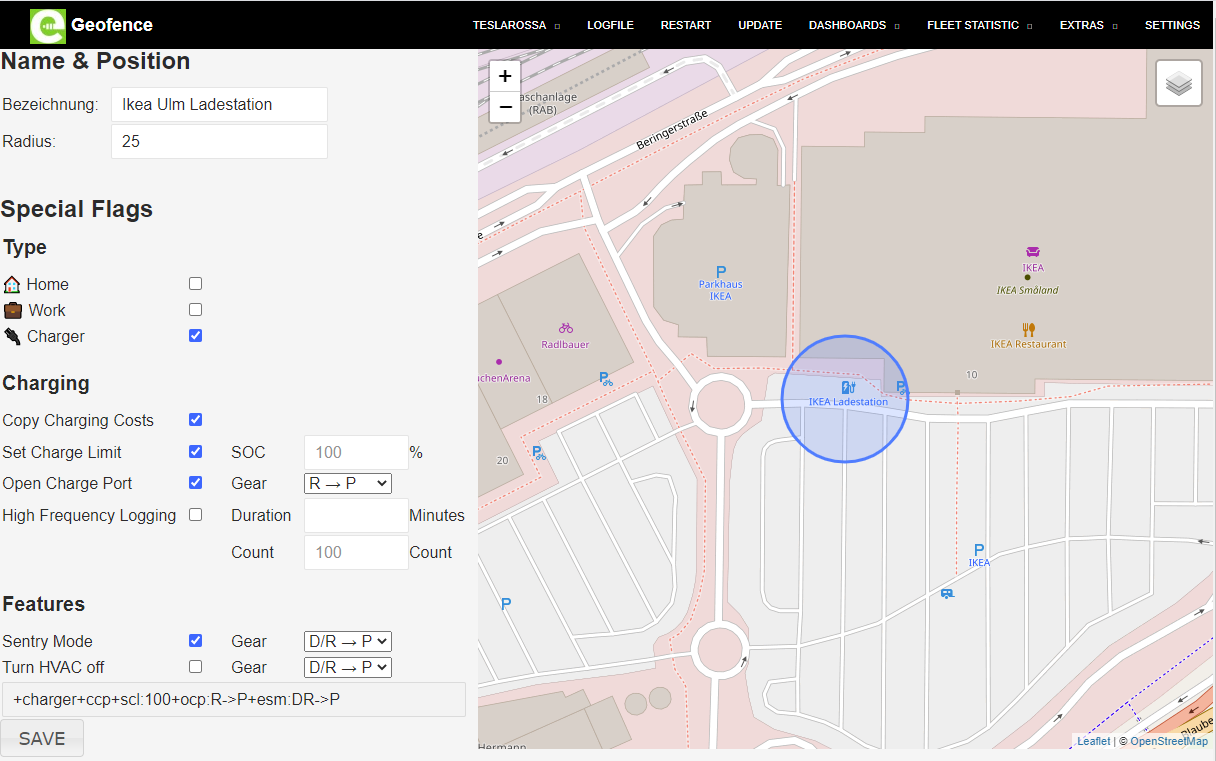
Details how to add / manage your own Points of Interest (POI) are [described here](TeslaLogger/Geofence.md).
## German manual
[http://teslalogger.de/handbuch.php](http://teslalogger.de/handbuch.php)
Translations are welcome :-)
Please contact us beforehand to allow a coordinated approach for translations.
## TeslaFi Import
You can import your TeslaFi data [here](TeslaFi-Import/README.md).
## Teslamate Import
You can import your Teslamate data [here](Teslamate-Import/README.md).
## Abetterrouteplanner Link
You can setup a link from Teslalogger to Abetterrouteplanner to avoid giving your Tesla credentials to a 3rd Party. Another benefit is to minimize the possibility to prevent the car from going to sleep if more than one service is using your credentials. [YouTube](https://www.youtube.com/watch?v=00s7Y8Iv2iw)
## Tesla Invoices Download
All Supercharger invoices will be downloaded automatically in subfolder "\\raspberry\teslalogger\tesla_invoices" on Raspberries or "\TeslaLogger\bin\tesla_invoices" on Docker
## Translations
You can use our [Weblate page](https://hosted.weblate.org/engage/teslalogger/) to help translate Teslalogger into new languages.
<a href="https://hosted.weblate.org/engage/teslalogger/">
<img src="https://hosted.weblate.org/widget/teslalogger/teslalogger/open-graph.png" width="500" alt="Translation status" />
</a>
## Donations
[](http://paypal.me/ChristianPogea)
## Screenshots
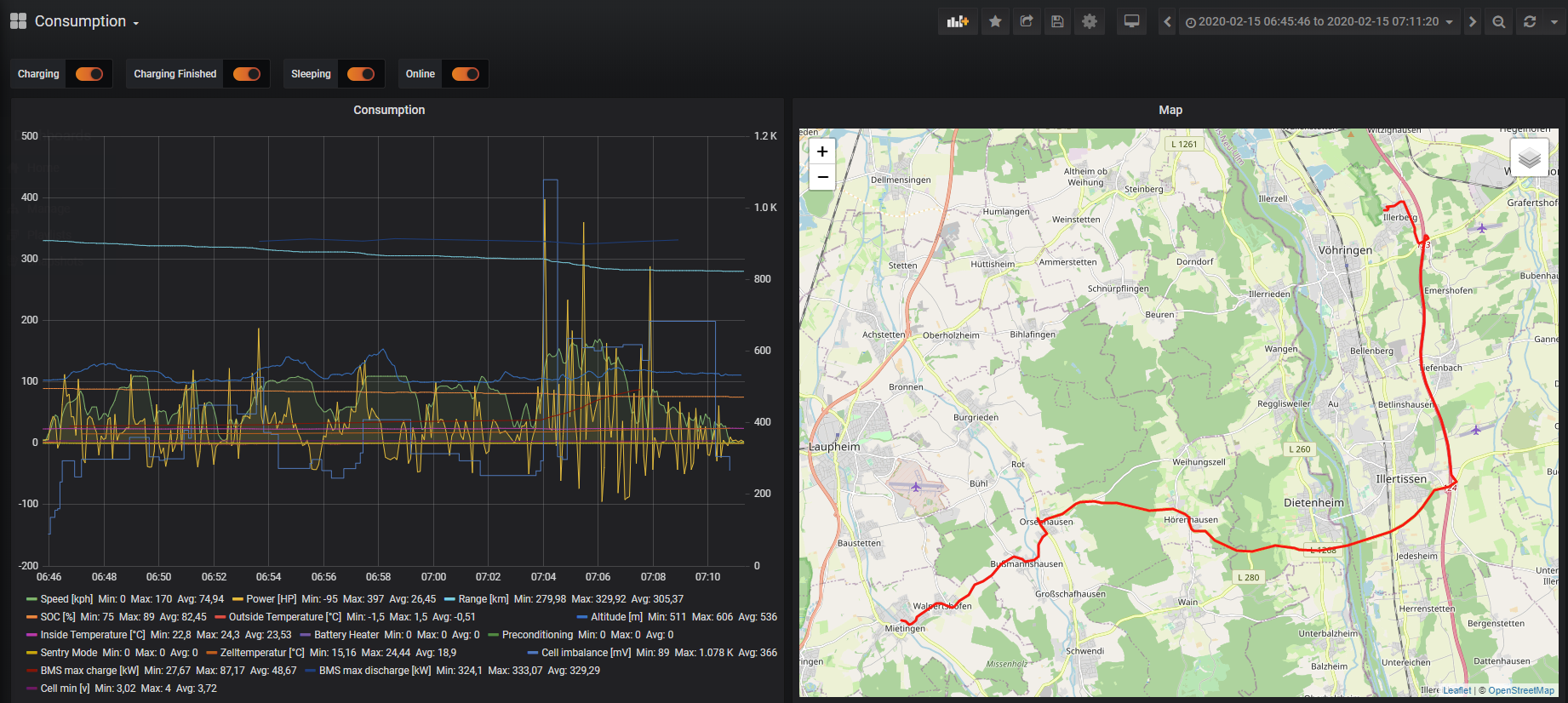
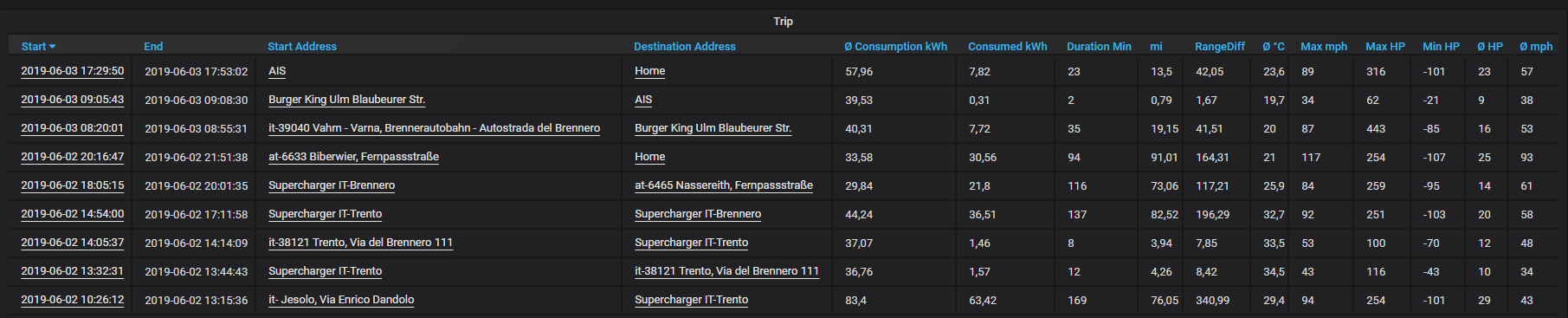
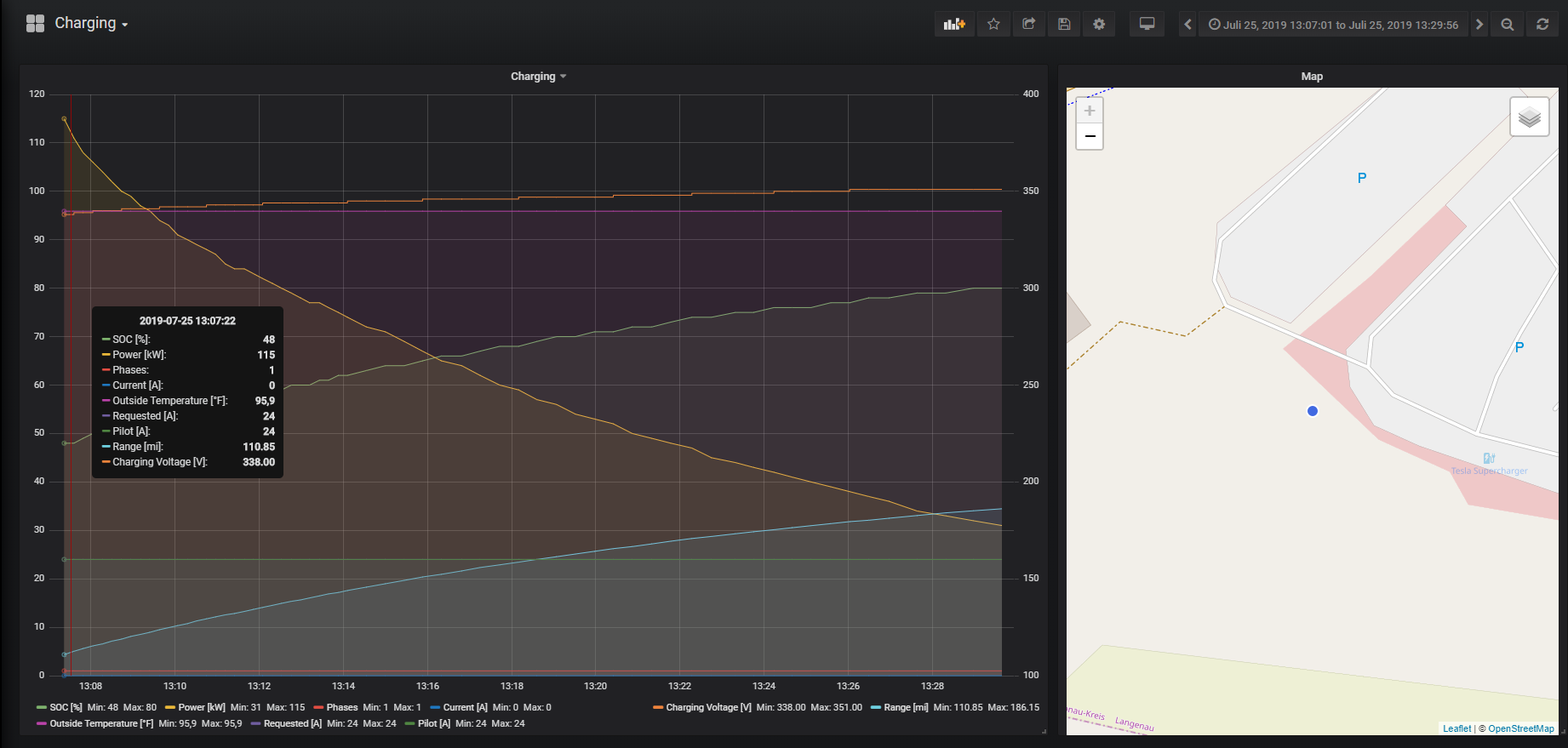
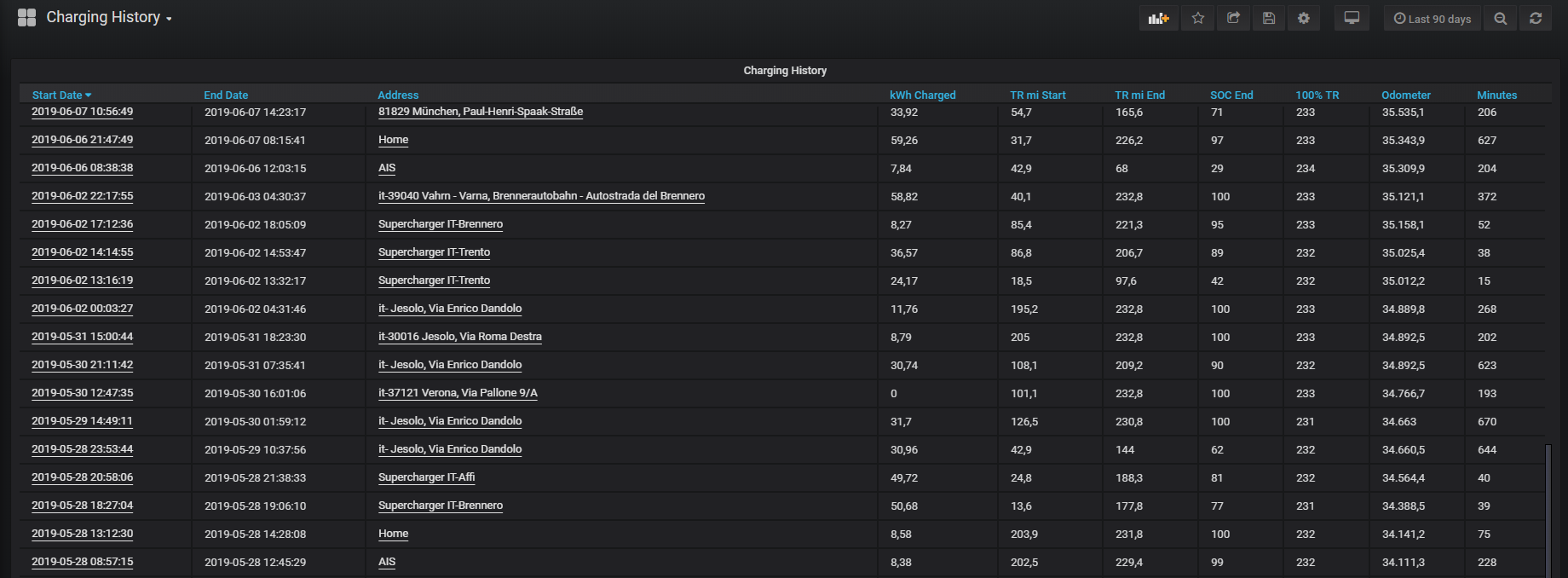
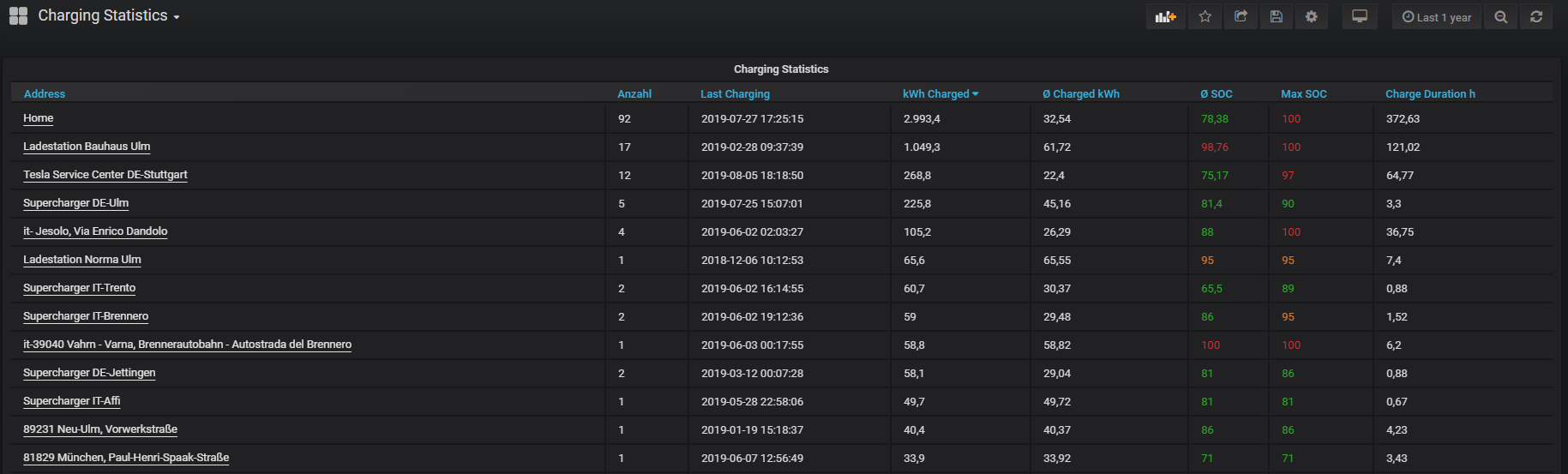
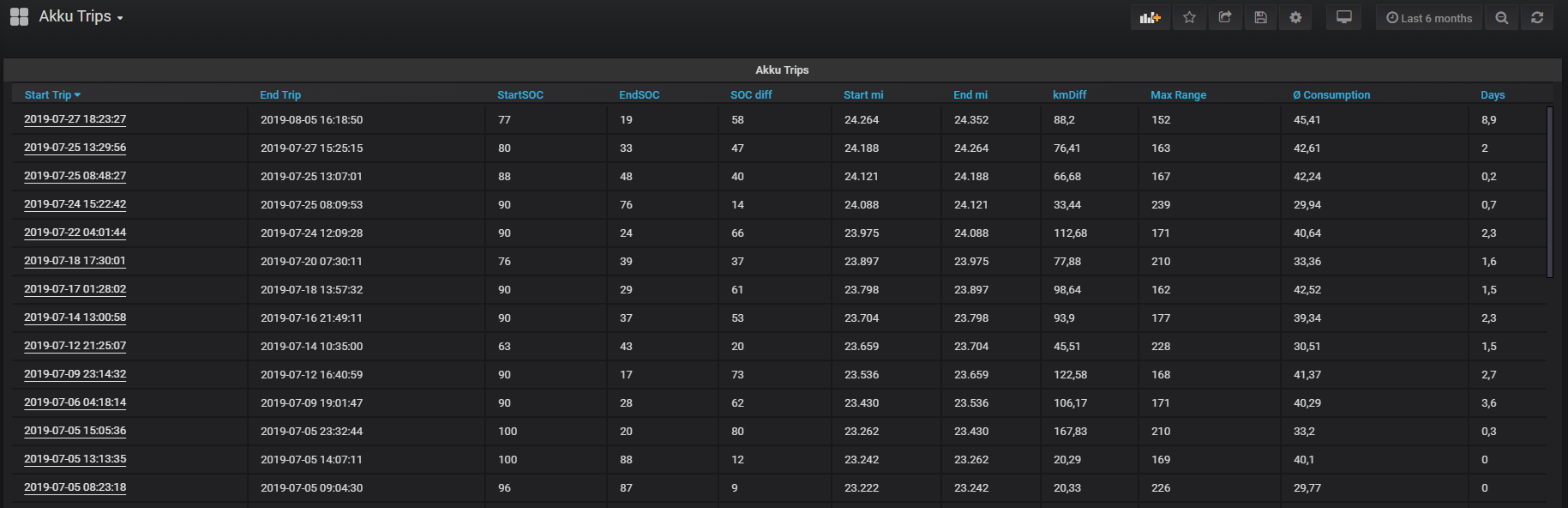
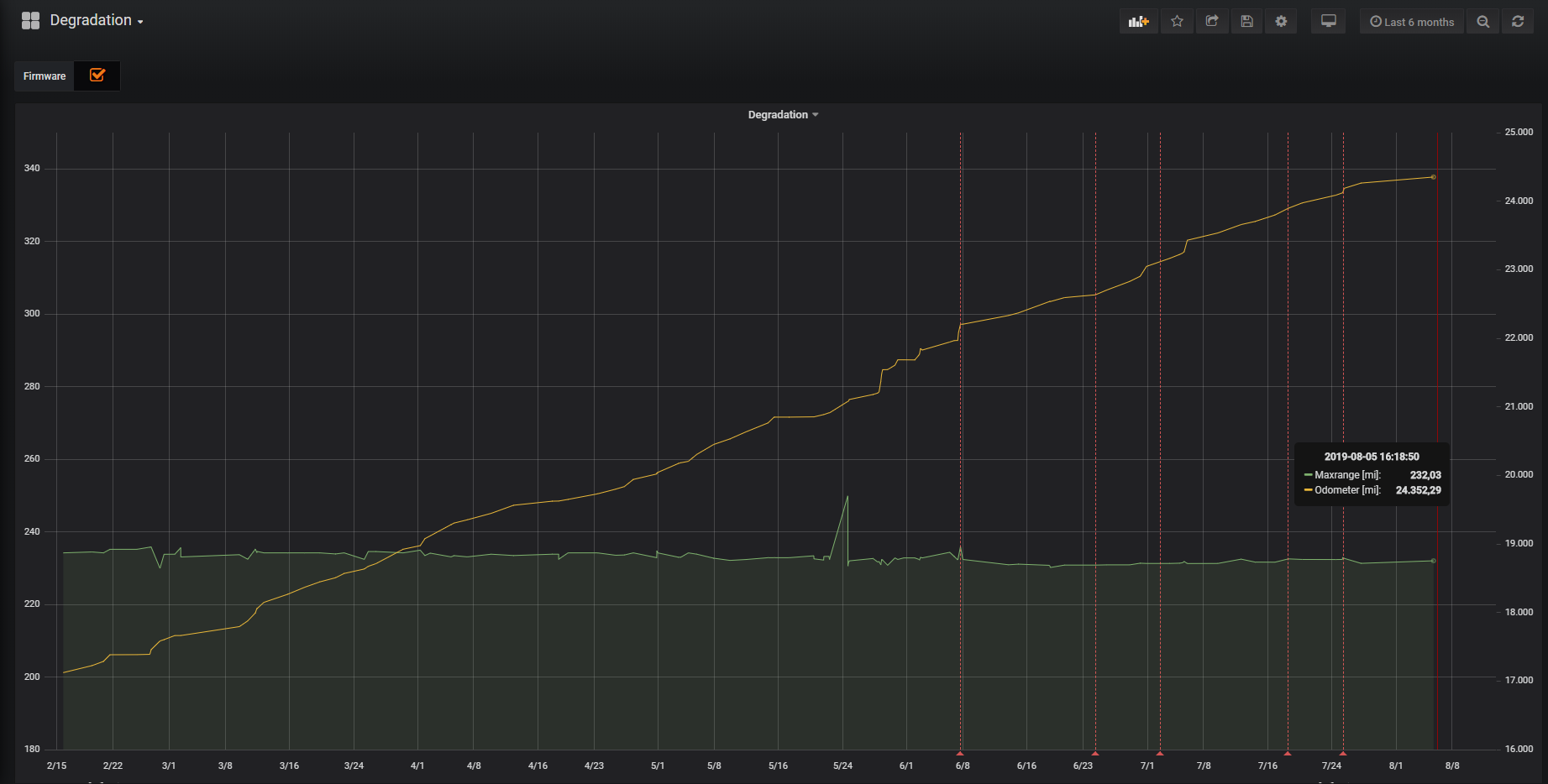
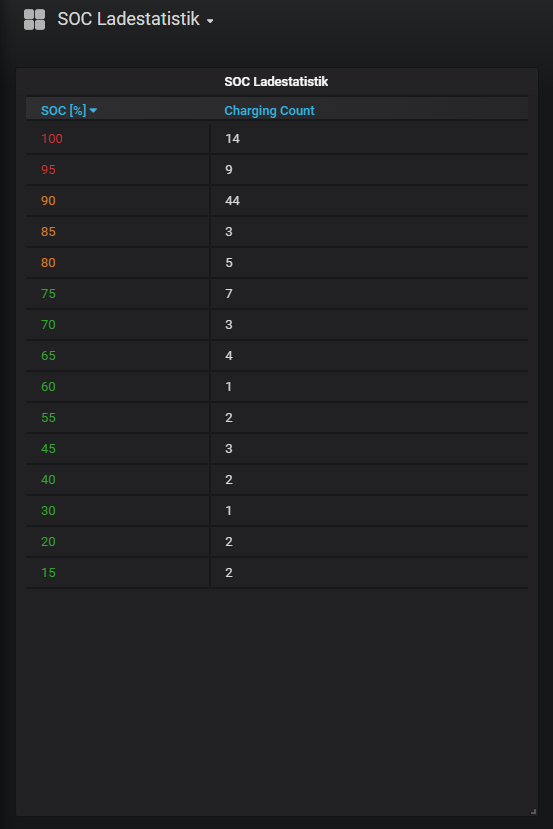
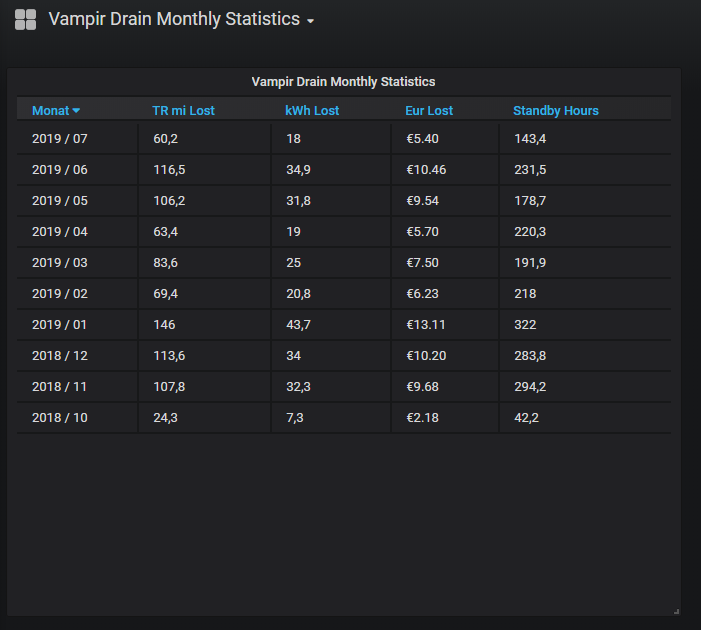
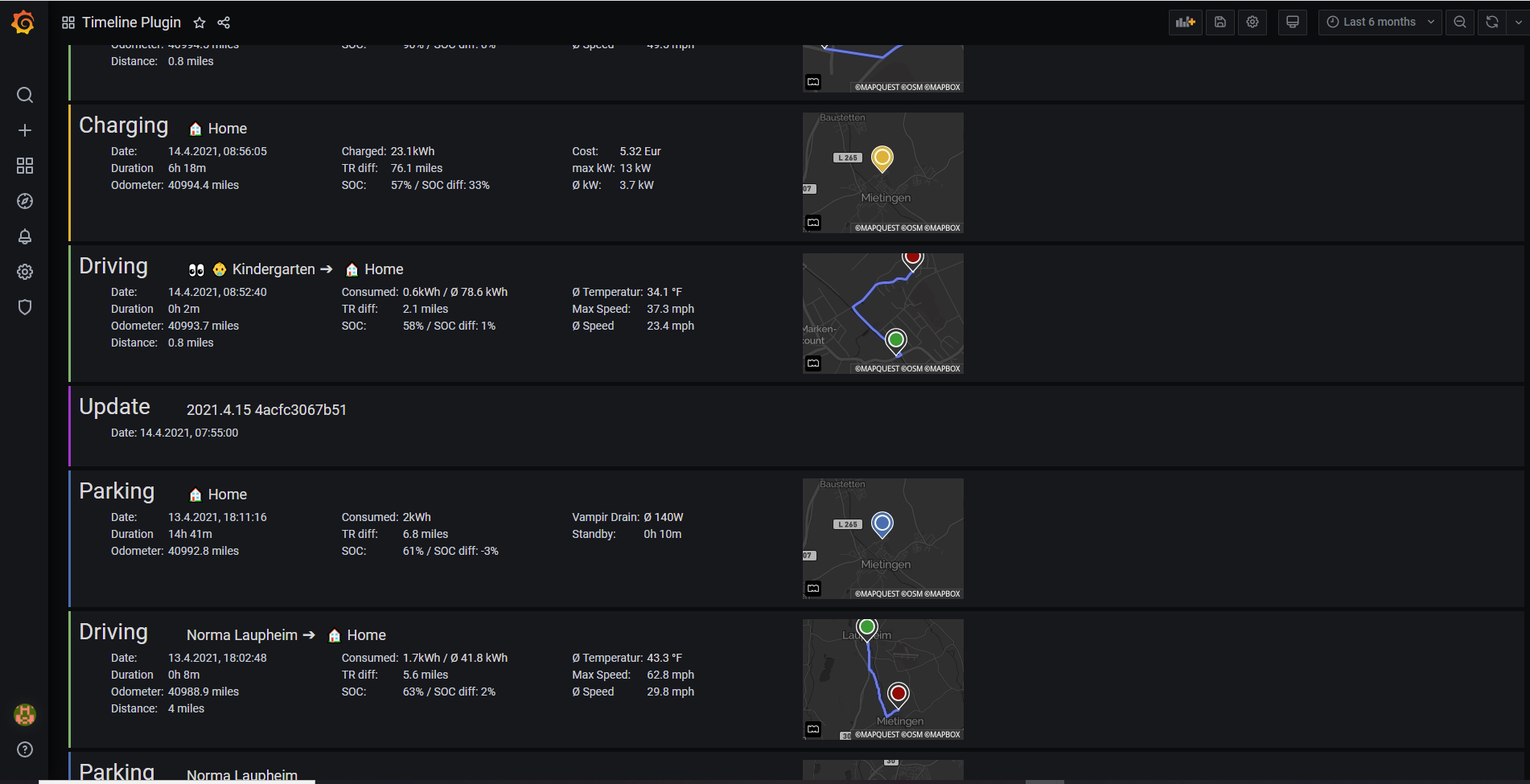
[Dashboard](dashboard.md)

Grafana Dashboards: [http://raspberry:3000](http://raspberry:3000)



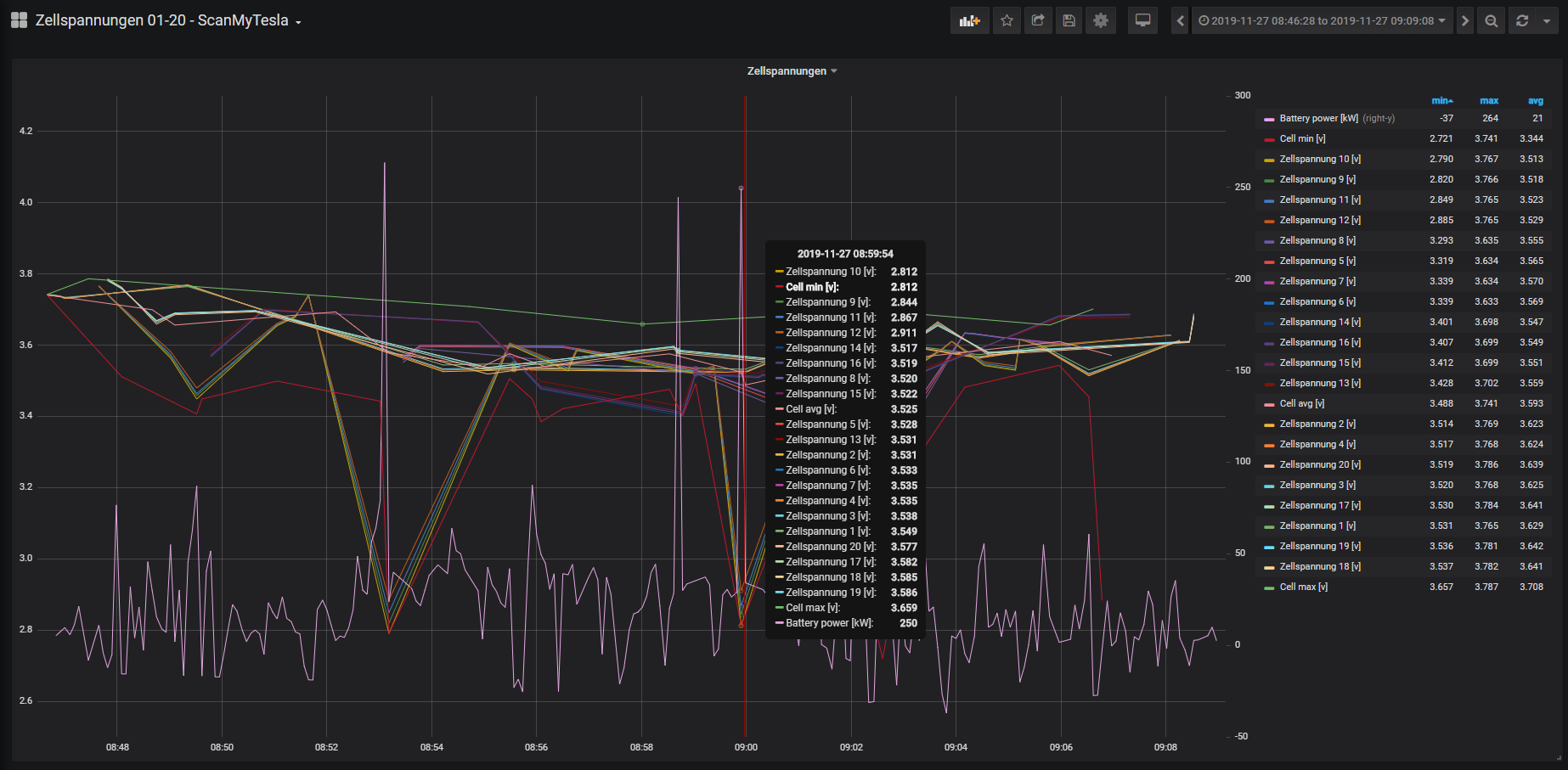
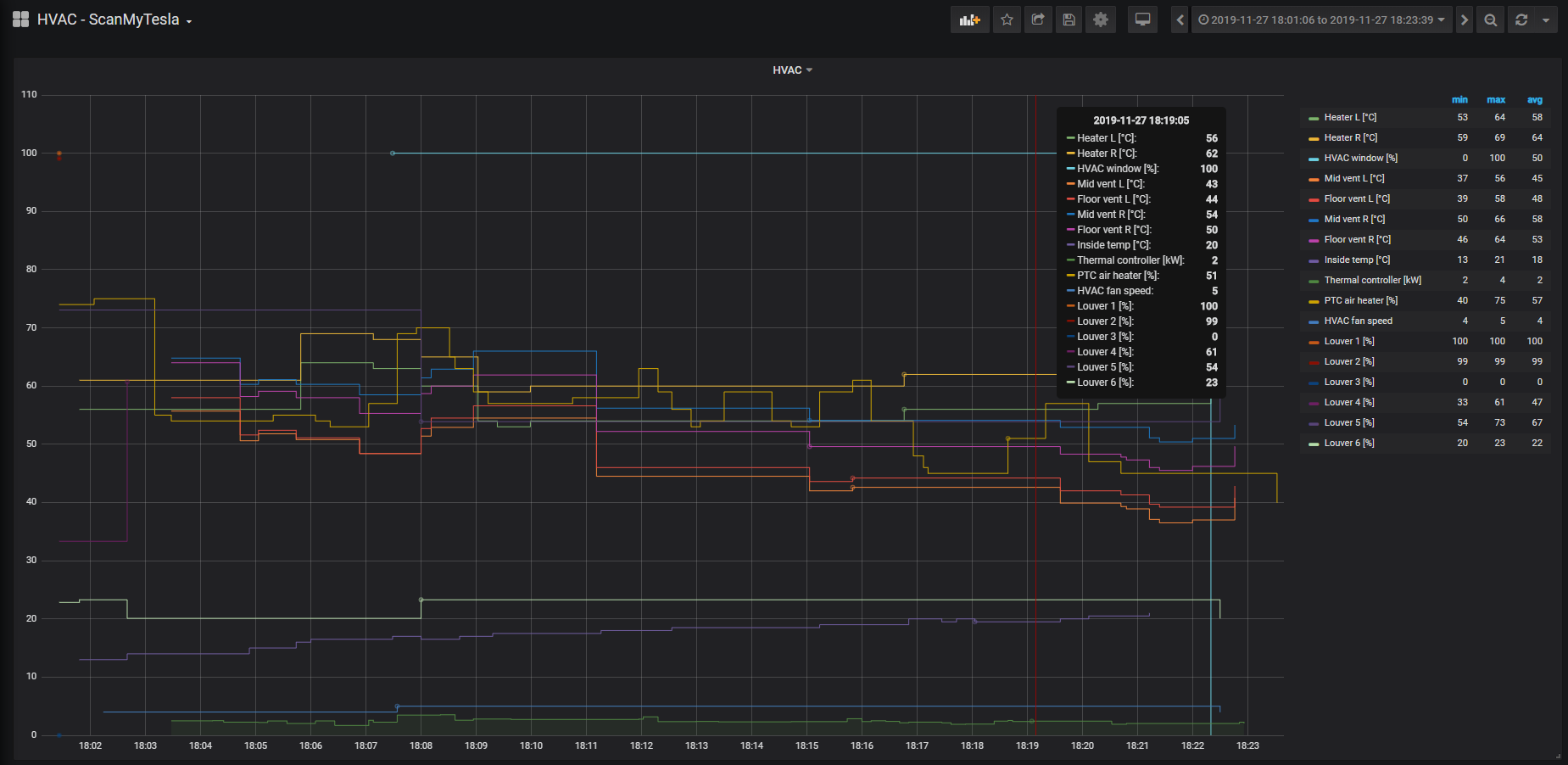
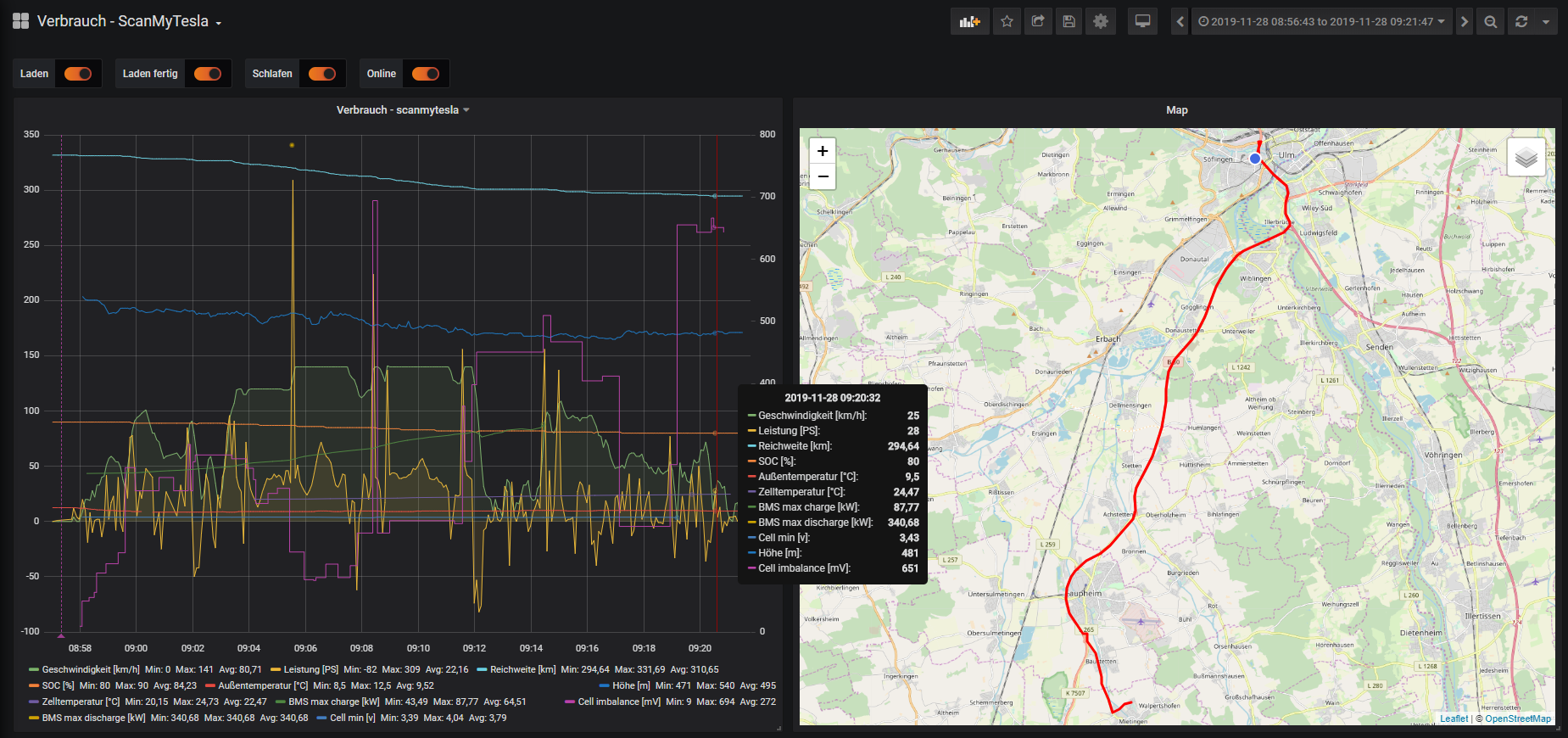
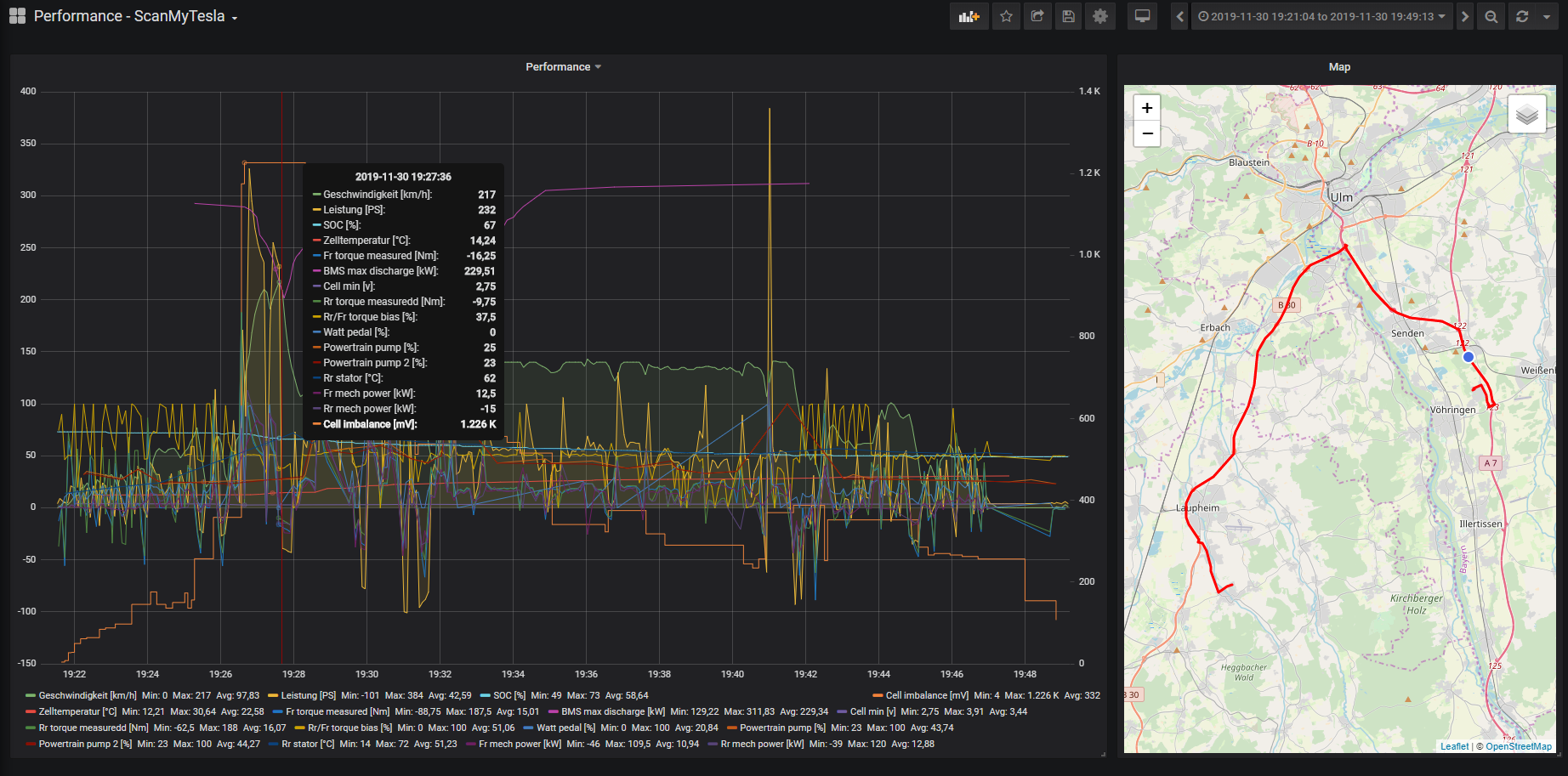
## Screenshots with ScanMyTesla integration

## Your Car vs Fleet

<!-- MARKDOWN LINKS & IMAGES -->
<!-- https://www.markdownguide.org/basic-syntax/#reference-style-links -->
[contributors-shield]: https://img.shields.io/github/contributors/bassmaster187/TeslaLogger.svg?style=for-the-badge
[contributors-url]: https://github.com/bassmaster187/TeslaLogger/graphs/contributors
[forks-shield]: https://img.shields.io/github/forks/bassmaster187/TeslaLogger.svg?style=for-the-badge
[forks-url]: https://github.com/bassmaster187/TeslaLogger/network/members
[stars-shield]: https://img.shields.io/github/stars/bassmaster187/TeslaLogger.svg?style=for-the-badge
[stars-url]: https://github.com/bassmaster187/TeslaLogger/stargazers
[issues-shield]: https://img.shields.io/github/issues/bassmaster187/TeslaLogger.svg?style=for-the-badge
[issues-url]: https://github.com/bassmaster187/TeslaLogger/issue