README.MD
Rama master · réplica de lectura del repositorio original.
# StatusScout
[](https://github.com/vincenius/statusscout)
[](https://github.com/vincenius/statusscout/commits/master)
[](LICENSE.MD)
[](docker-compose.yml)
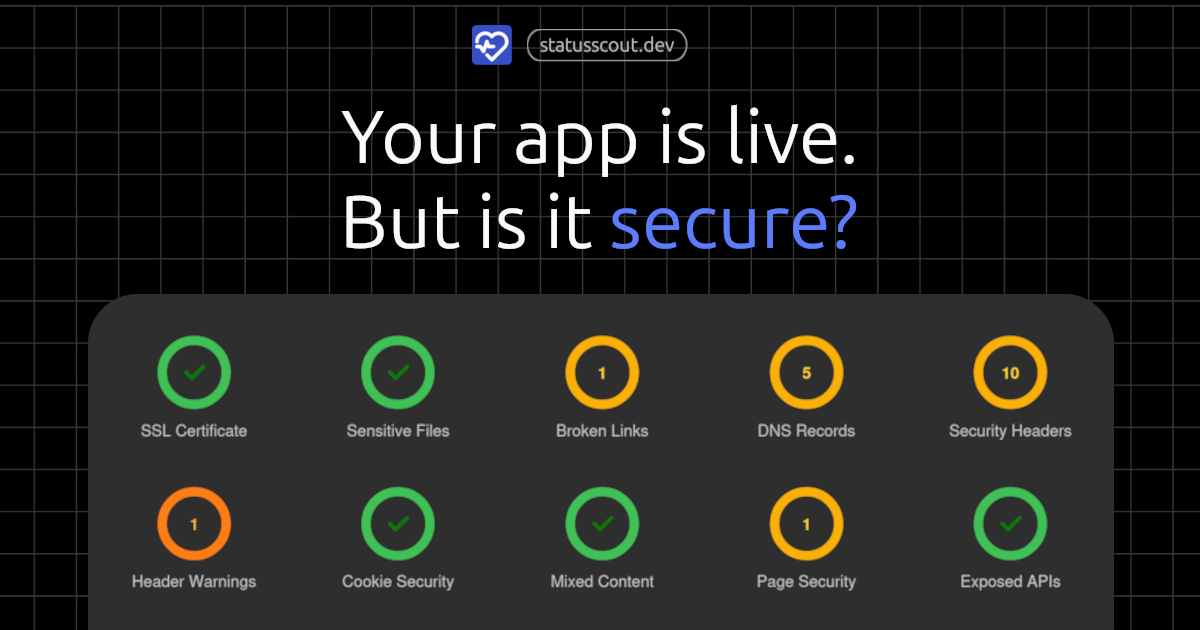
StatusScout monitors security headers, SSL certificates, DNS records, exposed files, and more. You get an alert the moment something goes wrong. Self-hosted, open source, free to run.
Run a free scan (no signup): [statusscout.dev](https://statusscout.dev)
## What It Checks
- Security headers
- SSL/TLS certificate validity
- Exposed sensitive files & hidden paths
- DNS health
- Cookie security
- Mixed content
- Page security
- Exposed API docs
- Broken links
## Project Structure
```
packages/api/ # Fastify REST API server
packages/cron/ # Cron scheduler — triggers periodic checks
packages/frontend/ # React dashboard (post-login app)
packages/landing/ # Public marketing & scan page
packages/shared/ # Shared utilities (notifications, issue history)
packages/worker/ # Background worker — executes all checks
assets/ # Static assets (logo, wordlists)
```
## Getting Started
### Prerequisites
- Docker and docker-compose
### Setup
1. Clone the repository:
```sh
git clone https://github.com/vincenius/statusscout.git
cd statusscout
```
2. Copy `.env.dist` to `.env` and fill in your secrets:
```sh
cp .env.dist .env
```
3. Start all services:
```sh
docker compose up -d
```
4. Open [http://localhost:3000](http://localhost:3000).
### Development
Requires Node.js v20+, local MongoDB and Redis instances, and the following tools for DNS and browser-based checks.
If you don't have MongoDB and Redis running locally, spin them up with the dev compose file:
```sh
docker compose -f docker-compose.dev.yml up -d
```
**[subfinder](https://github.com/projectdiscovery/subfinder)** — subdomain discovery (used by DNS checks):
```sh
go install -v github.com/projectdiscovery/subfinder/v2/cmd/subfinder@latest
```
**[subzy](https://github.com/LukaSikic/subzy)** — subdomain takeover detection (used by DNS checks):
```sh
go install github.com/PentestPad/subzy@latest
```
Make sure `$GOPATH/bin` (default: `~/go/bin`) is in your `$PATH`.
**Playwright Chromium** — headless browser (used by custom flow checks):
```sh
npx playwright install chromium # run after yarn install
```
DNS and custom flow checks will fail gracefully without these tools. They are only needed when working on those specific check modules.
**Run the dev server**
```sh
yarn # install all workspace dependencies
yarn dev # start all packages in dev mode
```
Or run each package separately. See the `dev` script in each `package.json`.
## License
Source-available with restrictions on reselling as a hosted service. Free for personal and commercial self-hosted use. See [LICENSE.MD](LICENSE.MD).