README.th.md
Rama main · réplica de lectura del repositorio original.
<h2>Open WebUI</h2>
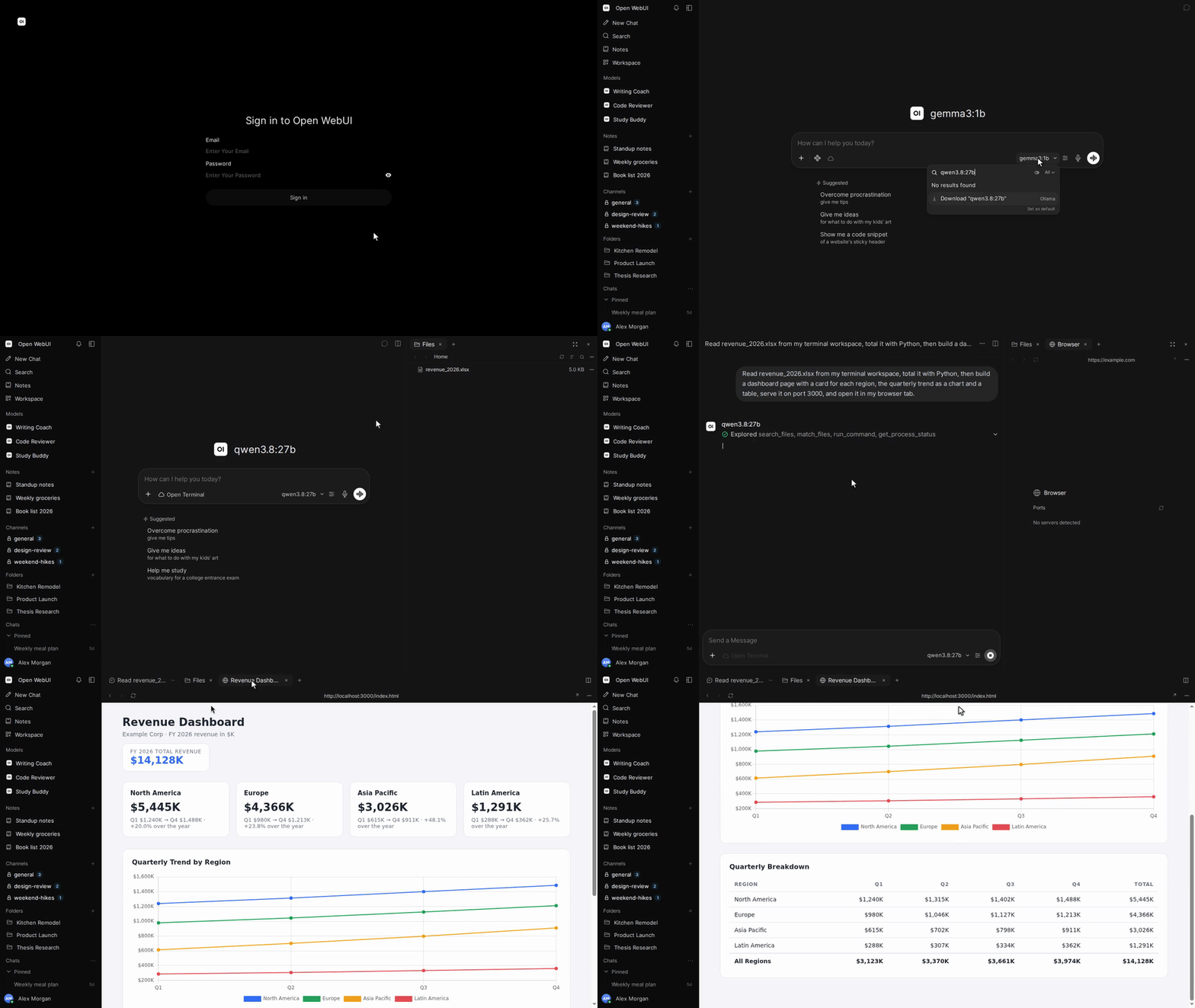
<p>Open WebUI คือ <a href="https://docs.openwebui.com/"><strong>บ้านสำหรับ AI</strong></a>: แพลตฟอร์มที่โฮสต์เองได้ ขยายความสามารถได้ ใช้งานง่าย และออกแบบให้ทำงานแบบออฟไลน์ได้ทั้งหมด เชื่อมต่อโมเดลภายในเครื่องผ่าน Ollama หรือใช้ API ที่เข้ากันได้กับ OpenAI สำหรับโมเดลภายในเครื่องและบนคลาวด์</p>
[English](README.md) |
[简体中文](README.zh.md) |
[繁體中文](README.zht.md) |
[한국어](README.ko.md) |
[Deutsch](README.de.md) |
[Español](README.es.md) |
[Français](README.fr.md) |
[Italiano](README.it.md) |
[Dansk](README.da.md) |
[日本語](README.ja.md) |
[Polski](README.pl.md) |
[Русский](README.ru.md) |
[Bosanski](README.bs.md) |
[العربية](README.ar.md) |
[Norsk](README.no.md) |
[Português (Brasil)](README.br.md) |
[ไทย](README.th.md) |
[Türkçe](README.tr.md) |
[Українська](README.uk.md) |
[বাংলা](README.bn.md) |
[Ελληνικά](README.gr.md) |
[Tiếng Việt](README.vi.md)
[](https://docs.openwebui.com/)


[](https://discord.gg/5rJgQTnV4s)
[](https://github.com/sponsors/open-webui)
[สำรวจ Open WebUI →](https://docs.openwebui.com/)
### การติดตั้ง
#### Python
ต้องใช้ Python 3.12
```bash
pip install open-webui
open-webui serve
```
จากนั้นเปิด [http://localhost:8080](http://localhost:8080)
#### Docker
```bash
docker run -d -p 3000:8080 --add-host=host.docker.internal:host-gateway -v open-webui:/app/backend/data --name open-webui --restart always ghcr.io/open-webui/open-webui:main
```
จากนั้นเปิด [http://localhost:3000](http://localhost:3000)
| แท็กอิมเมจ | สิ่งที่มีให้ |
| ---------- | --------------------------------------------------------------------------------- |
| `:main` | อิมเมจมาตรฐานพร้อมแพ็กเกจที่จำเป็นสำหรับ AI ภายในเครื่อง |
| `:slim` | อิมเมจขนาดเล็กที่ใช้บริการภายนอกสำหรับ embeddings การสกัดข้อมูลจากเอกสาร และเสียง |
| `:cuda` | Open WebUI พร้อมการเร่งความเร็วด้วย CUDA |
| `:ollama` | Open WebUI ที่รวม Ollama มาให้ |
| `:dev` | บิลด์สำหรับการพัฒนาล่าสุด |
เพิ่มตัวเลือกเหล่านี้ใน `docker run` ก่อนชื่ออิมเมจได้ตามต้องการ:
| ตัวเลือก | จุดประสงค์ |
| ---------------------------------------------------- | ----------------------------------------------------------------------------------- |
| `-e OLLAMA_BASE_URL=http://your-ollama-server:11434` | เชื่อมต่อกับ Ollama บนเซิร์ฟเวอร์อื่น |
| `-e OPENAI_API_KEY=your_secret_key` | กำหนดคีย์ API ของ OpenAI |
| `-e HF_HUB_OFFLINE=1` | ปิดการดาวน์โหลดโมเดลจาก Hugging Face สำหรับการใช้งานออฟไลน์ |
| `--gpus all` | เปิดใช้ GPU Nvidia สำหรับ `:cuda` หรือ `:ollama` โดยต้องมี Nvidia Container Toolkit |
ดูขั้นตอนการติดตั้งและตัวเลือกการตั้งค่าใน[คู่มือการติดตั้งด้วย Docker](https://docs.openwebui.com/getting-started/quick-start/)
#### แอปเดสก์ท็อป
[ดาวน์โหลดแอปเดสก์ท็อปเนทีฟ](https://github.com/open-webui/desktop)สำหรับ macOS, Windows และ Linux
[อ่านเอกสาร →](https://docs.openwebui.com/getting-started/)
### ระบบนิเวศ
- [Open Terminal](https://github.com/open-webui/open-terminal) / [Terminals (Enterprise)](https://github.com/open-webui/terminals): ชั้นการทำงานที่ทำให้ Open WebUI เป็นสภาพแวดล้อมเอเจนต์ที่ครบถ้วน พร้อมระบบจัดการพื้นที่ทำงานแยกตามผู้ใช้ในระดับองค์กร
- [Knowledge Base Sync (oikb)](https://github.com/open-webui/oikb): ทำสำเนาโฟลเดอร์ รีโพซิทอรี บักเก็ต และวิกิลงในฐานความรู้ Open WebUI ด้วยการซิงก์เฉพาะส่วนที่เปลี่ยนแปลง
- [Open WebUI Computer](https://github.com/open-webui/computer): คอมพิวเตอร์ของคุณในทุกเบราว์เซอร์: ไฟล์ ตัวแก้ไข เทอร์มินัล Git และเอเจนต์ AI ที่เลือกใช้ได้ ทั้งหมดทำงานบนเครื่องจริงของคุณ
ดูรายละเอียดใน[เอกสารระบบนิเวศ](https://docs.openwebui.com/ecosystem/)
### การแก้ไขปัญหาและการอัปเดต
ดู[คู่มือแก้ไขปัญหา](https://docs.openwebui.com/troubleshooting/)สำหรับปัญหาการเชื่อมต่อ และ[คู่มืออัปเดต](https://docs.openwebui.com/getting-started/updating)เพื่ออัปเดตการติดตั้งของคุณ
### เอกสาร
ดู[เอกสาร](https://docs.openwebui.com/)สำหรับการตั้งค่าและการใช้งาน และ[แผนการพัฒนา](https://docs.openwebui.com/roadmap/)สำหรับงานที่วางแผนไว้
สำหรับ Docker Compose, Kubernetes และการติดตั้งแบบอื่น ๆ ดู[เอกสารการติดตั้ง](https://docs.openwebui.com/getting-started/)
### การช่วยเหลือ
[เปิด issue](https://github.com/open-webui/open-webui/issues) หรือ[เริ่มการสนทนา](https://github.com/open-webui/open-webui/discussions)
พบเราได้ที่ [Reddit](https://www.reddit.com/r/OpenWebUI/), [X](https://x.com/OpenWebUI) และ [Discord](https://discord.gg/5rJgQTnV4s)
### ความปลอดภัย
รายงานช่องโหว่แบบเป็นส่วนตัวผ่าน [GitHub Security Advisories](https://github.com/open-webui/open-webui/security) โดยรับรายงานด้านความปลอดภัยผ่าน GitHub เท่านั้น
### ประวัติจำนวนดาว
<a href="https://star-history.com/#open-webui/open-webui&Date">
<picture>
<source media="(prefers-color-scheme: dark)" srcset="https://api.star-history.com/svg?repos=open-webui/open-webui&type=Date&theme=dark" />
<source media="(prefers-color-scheme: light)" srcset="https://api.star-history.com/svg?repos=open-webui/open-webui&type=Date" />
<img alt="กราฟประวัติจำนวนดาว" src="https://api.star-history.com/svg?repos=open-webui/open-webui&type=Date" />
</picture>
</a>
#### สัญญาอนุญาต
มีโค้ดภายใต้ Open WebUI License ซึ่งกำหนดให้คงแบรนด์ Open WebUI ไว้ รวมถึงผลงานที่มีผู้ร่วมพัฒนาก่อนหน้านี้ภายใต้สัญญาอนุญาตเดิมของแต่ละส่วน ดูเงื่อนไขและประวัติได้ที่ [LICENSE](./LICENSE) และ [LICENSE_HISTORY](./LICENSE_HISTORY)
[องค์กร](https://docs.openwebui.com/enterprise) · [ร่วมงานกับเรา](https://careers.openwebui.com/) · [สนับสนุนโครงการ](https://github.com/sponsors/open-webui)
สร้างโดย [Timothy Jaeryang Baek](https://github.com/tjbck)