README.ko.md
Rama main · réplica de lectura del repositorio original.
<h2>Open WebUI</h2>
<p>Open WebUI는 <a href="https://docs.openwebui.com/"><strong>AI를 위한 집</strong></a>입니다. 확장하기 쉽고 사용하기 편리하며, 완전한 오프라인 실행을 지원하는 셀프 호스팅 플랫폼입니다. Ollama로 로컬 모델에 연결하거나 OpenAI 호환 API를 통해 로컬 및 클라우드 모델을 사용하세요.</p>
[English](README.md) |
[简体中文](README.zh.md) |
[繁體中文](README.zht.md) |
[한국어](README.ko.md) |
[Deutsch](README.de.md) |
[Español](README.es.md) |
[Français](README.fr.md) |
[Italiano](README.it.md) |
[Dansk](README.da.md) |
[日本語](README.ja.md) |
[Polski](README.pl.md) |
[Русский](README.ru.md) |
[Bosanski](README.bs.md) |
[العربية](README.ar.md) |
[Norsk](README.no.md) |
[Português (Brasil)](README.br.md) |
[ไทย](README.th.md) |
[Türkçe](README.tr.md) |
[Українська](README.uk.md) |
[বাংলা](README.bn.md) |
[Ελληνικά](README.gr.md) |
[Tiếng Việt](README.vi.md)
[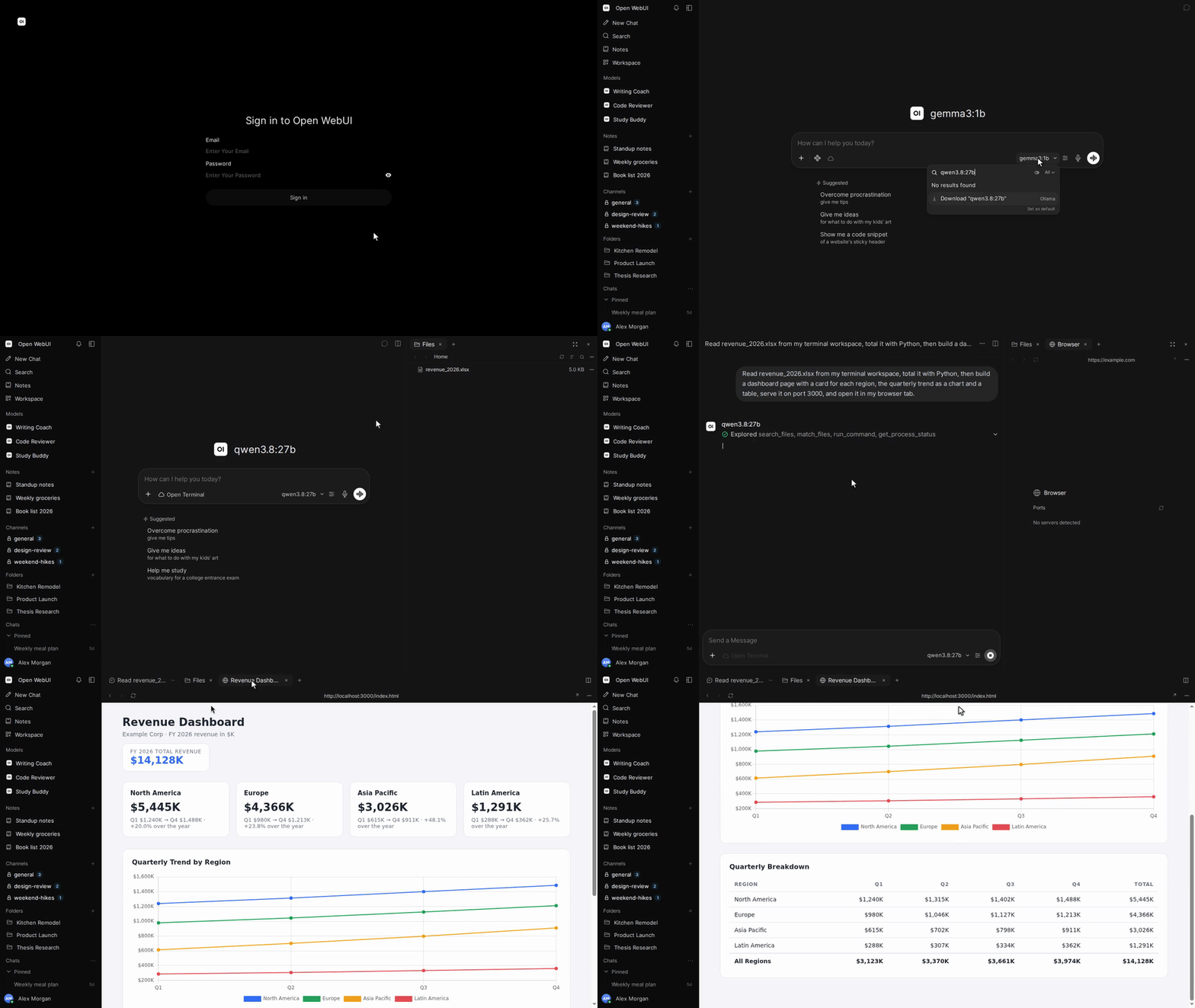](https://docs.openwebui.com/)


[](https://discord.gg/5rJgQTnV4s)
[](https://github.com/sponsors/open-webui)
[Open WebUI 둘러보기 →](https://docs.openwebui.com/)
### 설치
#### Python
Python 3.12가 필요합니다.
```bash
pip install open-webui
open-webui serve
```
그런 다음 [http://localhost:8080](http://localhost:8080)을 여세요.
#### Docker
```bash
docker run -d -p 3000:8080 --add-host=host.docker.internal:host-gateway -v open-webui:/app/backend/data --name open-webui --restart always ghcr.io/open-webui/open-webui:main
```
그런 다음 [http://localhost:3000](http://localhost:3000)을 여세요.
| 이미지 태그 | 구성 |
| ----------- | ----------------------------------------------------------------- |
| `:main` | 로컬 AI 의존성이 포함된 표준 이미지 |
| `:slim` | 임베딩, 문서 추출, 음성 처리에 외부 서비스를 사용하는 경량 이미지 |
| `:cuda` | CUDA 가속을 지원하는 Open WebUI |
| `:ollama` | Ollama가 포함된 Open WebUI |
| `:dev` | 최신 개발 빌드 |
필요에 따라 `docker run`의 이미지 이름 앞에 다음 옵션을 추가하세요.
| 옵션 | 용도 |
| ---------------------------------------------------- | -------------------------------------------------------------------------------- |
| `-e OLLAMA_BASE_URL=http://your-ollama-server:11434` | 다른 서버의 Ollama에 연결 |
| `-e OPENAI_API_KEY=your_secret_key` | OpenAI API 키 설정 |
| `-e HF_HUB_OFFLINE=1` | 오프라인 사용을 위해 Hugging Face 모델 다운로드 비활성화 |
| `--gpus all` | `:cuda` 또는 `:ollama`에서 Nvidia GPU 사용 활성화. Nvidia Container Toolkit 필요 |
설치 방법과 설정 옵션은 [Docker 설치 가이드](https://docs.openwebui.com/getting-started/quick-start/)를 참고하세요.
#### 데스크톱 앱
macOS, Windows, Linux용 [네이티브 데스크톱 앱을 다운로드하세요](https://github.com/open-webui/desktop).
[문서 읽기 →](https://docs.openwebui.com/getting-started/)
### 생태계
- [Open Terminal](https://github.com/open-webui/open-terminal) / [Terminals (Enterprise)](https://github.com/open-webui/terminals): Open WebUI를 완전한 에이전트 실행 환경으로 만드는 실행 계층으로, 사용자별 작업 공간을 위한 엔터프라이즈 오케스트레이션을 제공합니다.
- [Knowledge Base Sync (oikb)](https://github.com/open-webui/oikb): 폴더, 저장소, 버킷, 위키를 증분 동기화하여 Open WebUI 지식 베이스에 반영합니다.
- [Open WebUI Computer](https://github.com/open-webui/computer): 어떤 브라우저에서든 내 컴퓨터를 사용하세요. 파일, 편집기, 터미널, Git, 선택적으로 사용하는 AI 에이전트가 실제 내 컴퓨터에서 실행됩니다.
자세한 내용은 [생태계 문서](https://docs.openwebui.com/ecosystem/)를 참고하세요.
### 문제 해결 및 업데이트
연결 문제는 [문제 해결 가이드](https://docs.openwebui.com/troubleshooting/)를, 설치 업데이트는 [업데이트 가이드](https://docs.openwebui.com/getting-started/updating)를 참고하세요.
### 문서
설정과 사용법은 [문서](https://docs.openwebui.com/)를, 예정된 작업은 [로드맵](https://docs.openwebui.com/roadmap/)을 참고하세요.
Docker Compose, Kubernetes 및 기타 설치 방법은 [설치 문서](https://docs.openwebui.com/getting-started/)를 참고하세요.
### 지원
[이슈를 등록](https://github.com/open-webui/open-webui/issues)하거나 [토론을 시작](https://github.com/open-webui/open-webui/discussions)하세요.
[Reddit](https://www.reddit.com/r/OpenWebUI/), [X](https://x.com/OpenWebUI), [Discord](https://discord.gg/5rJgQTnV4s)에서도 만나보세요.
### 보안
취약점은 [GitHub Security Advisories](https://github.com/open-webui/open-webui/security)를 통해 비공개로 제보해 주세요. 보안 제보는 GitHub를 통해서만 접수합니다.
### 스타 기록
<a href="https://star-history.com/#open-webui/open-webui&Date">
<picture>
<source media="(prefers-color-scheme: dark)" srcset="https://api.star-history.com/svg?repos=open-webui/open-webui&type=Date&theme=dark" />
<source media="(prefers-color-scheme: light)" srcset="https://api.star-history.com/svg?repos=open-webui/open-webui&type=Date" />
<img alt="스타 기록 차트" src="https://api.star-history.com/svg?repos=open-webui/open-webui&type=Date" />
</picture>
</a>
#### 라이선스
Open WebUI 브랜드 유지를 요구하는 Open WebUI License가 적용된 코드와, 각각 원래 라이선스가 적용되는 이전 기여분을 포함합니다. 조건과 이력은 [LICENSE](./LICENSE)와 [LICENSE_HISTORY](./LICENSE_HISTORY)를 참고하세요.
[엔터프라이즈](https://docs.openwebui.com/enterprise) · [채용](https://careers.openwebui.com/) · [후원](https://github.com/sponsors/open-webui)
제작: [Timothy Jaeryang Baek](https://github.com/tjbck).