README.ja.md
Rama main · réplica de lectura del repositorio original.
<h2>Open WebUI</h2>
<p>Open WebUI は <a href="https://docs.openwebui.com/"><strong>AI のためのホーム</strong></a>です。拡張可能で使いやすく、完全オフラインでの動作に対応したセルフホスト型プラットフォームです。Ollama でローカルモデルに接続するほか、OpenAI 互換 API を通じてローカルやクラウドのモデルを利用できます。</p>
[English](README.md) |
[简体中文](README.zh.md) |
[繁體中文](README.zht.md) |
[한국어](README.ko.md) |
[Deutsch](README.de.md) |
[Español](README.es.md) |
[Français](README.fr.md) |
[Italiano](README.it.md) |
[Dansk](README.da.md) |
[日本語](README.ja.md) |
[Polski](README.pl.md) |
[Русский](README.ru.md) |
[Bosanski](README.bs.md) |
[العربية](README.ar.md) |
[Norsk](README.no.md) |
[Português (Brasil)](README.br.md) |
[ไทย](README.th.md) |
[Türkçe](README.tr.md) |
[Українська](README.uk.md) |
[বাংলা](README.bn.md) |
[Ελληνικά](README.gr.md) |
[Tiếng Việt](README.vi.md)
[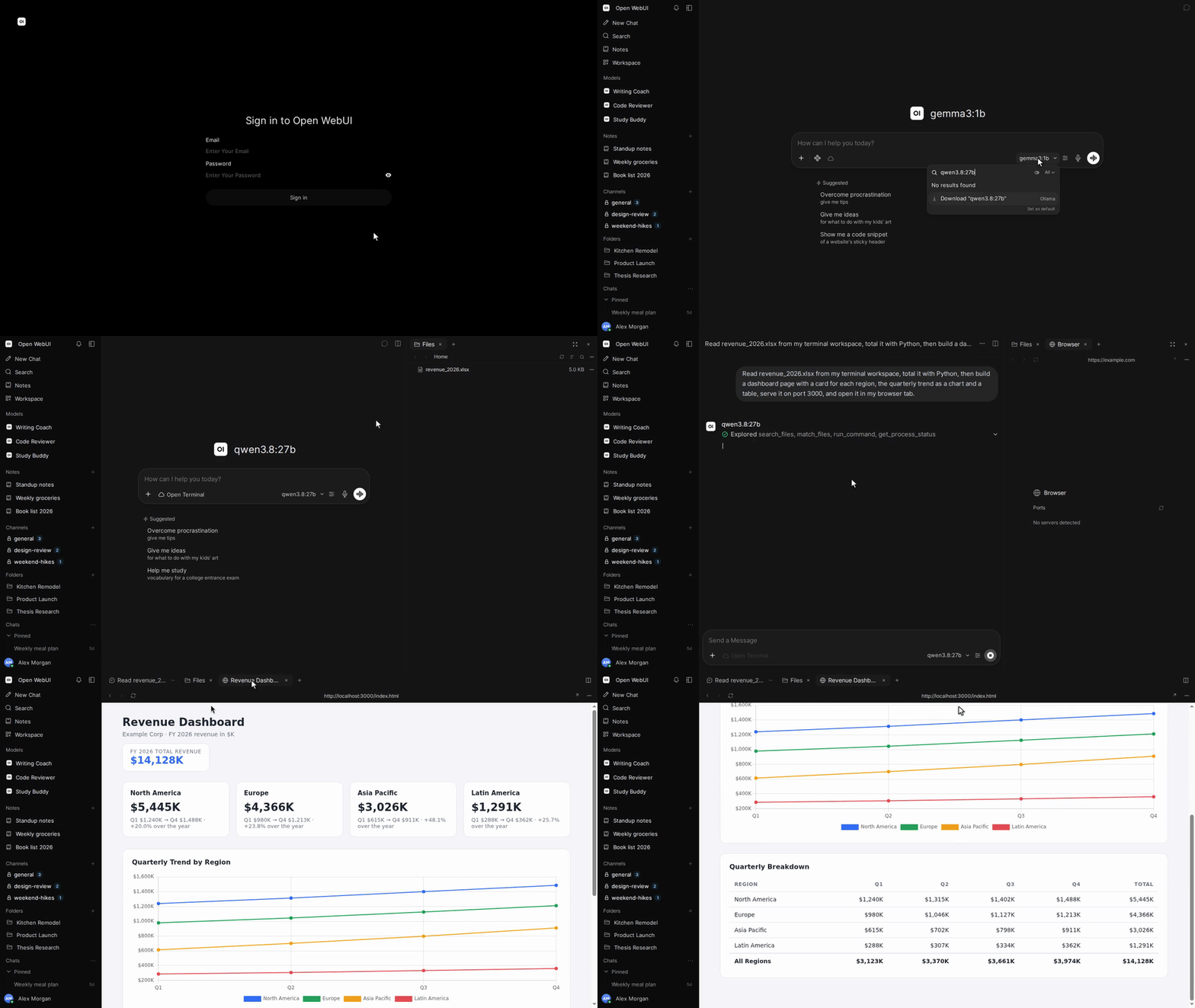](https://docs.openwebui.com/)


[](https://discord.gg/5rJgQTnV4s)
[](https://github.com/sponsors/open-webui)
[Open WebUI をもっと知る →](https://docs.openwebui.com/)
### インストール
#### Python
Python 3.12 が必要です。
```bash
pip install open-webui
open-webui serve
```
その後、[http://localhost:8080](http://localhost:8080) を開きます。
#### Docker
```bash
docker run -d -p 3000:8080 --add-host=host.docker.internal:host-gateway -v open-webui:/app/backend/data --name open-webui --restart always ghcr.io/open-webui/open-webui:main
```
その後、[http://localhost:3000](http://localhost:3000) を開きます。
| イメージタグ | 内容 |
| ------------ | -------------------------------------------------------------------- |
| `:main` | ローカル AI 用の依存パッケージを含む標準イメージ |
| `:slim` | 埋め込み、ドキュメント抽出、音声処理に外部サービスを使う軽量イメージ |
| `:cuda` | CUDA アクセラレーション対応の Open WebUI |
| `:ollama` | Ollama を同梱した Open WebUI |
| `:dev` | 最新の開発ビルド |
必要に応じて、`docker run` のイメージ名の前に以下のオプションを追加してください。
| オプション | 用途 |
| ---------------------------------------------------- | ------------------------------------------------------------------------------ |
| `-e OLLAMA_BASE_URL=http://your-ollama-server:11434` | 別のサーバー上の Ollama に接続 |
| `-e OPENAI_API_KEY=your_secret_key` | OpenAI API キーを設定 |
| `-e HF_HUB_OFFLINE=1` | オフライン利用のため Hugging Face のモデルダウンロードを無効化 |
| `--gpus all` | `:cuda` または `:ollama` で Nvidia GPU を利用。Nvidia Container Toolkit が必要 |
セットアップ手順と設定項目は [Docker インストールガイド](https://docs.openwebui.com/getting-started/quick-start/)をご覧ください。
#### デスクトップアプリ
macOS、Windows、Linux 向けの[ネイティブデスクトップアプリをダウンロード](https://github.com/open-webui/desktop)。
[ドキュメントを読む →](https://docs.openwebui.com/getting-started/)
### エコシステム
- [Open Terminal](https://github.com/open-webui/open-terminal) / [Terminals (Enterprise)](https://github.com/open-webui/terminals): Open WebUI を完全なエージェント実行基盤にするアクション層。ユーザーごとのワークスペースを管理するエンタープライズ向けオーケストレーションにも対応。
- [Knowledge Base Sync (oikb)](https://github.com/open-webui/oikb): フォルダー、リポジトリ、バケット、Wiki を差分同期し、Open WebUI のナレッジベースに反映。
- [Open WebUI Computer](https://github.com/open-webui/computer): 自分のコンピューターをどのブラウザーからでも。ファイル、エディター、ターミナル、Git、任意の AI エージェントが実際のマシン上で動作。
詳しくは[エコシステムのドキュメント](https://docs.openwebui.com/ecosystem/)をご覧ください。
### トラブルシューティングと更新
接続の問題は[トラブルシューティングガイド](https://docs.openwebui.com/troubleshooting/)、インストールの更新は[更新ガイド](https://docs.openwebui.com/getting-started/updating)をご覧ください。
### ドキュメント
設定と使い方は[ドキュメント](https://docs.openwebui.com/)、今後の予定は[ロードマップ](https://docs.openwebui.com/roadmap/)をご覧ください。
Docker Compose、Kubernetes、その他の構成については[インストールドキュメント](https://docs.openwebui.com/getting-started/)をご覧ください。
### サポート
[Issue を作成](https://github.com/open-webui/open-webui/issues)するか、[ディスカッションを開始](https://github.com/open-webui/open-webui/discussions)してください。
[Reddit](https://www.reddit.com/r/OpenWebUI/)、[X](https://x.com/OpenWebUI)、[Discord](https://discord.gg/5rJgQTnV4s)でも発信しています。
### セキュリティ
脆弱性は [GitHub Security Advisories](https://github.com/open-webui/open-webui/security) を通じて非公開で報告してください。セキュリティ報告は GitHub 経由でのみ受け付けています。
### スター数の推移
<a href="https://star-history.com/#open-webui/open-webui&Date">
<picture>
<source media="(prefers-color-scheme: dark)" srcset="https://api.star-history.com/svg?repos=open-webui/open-webui&type=Date&theme=dark" />
<source media="(prefers-color-scheme: light)" srcset="https://api.star-history.com/svg?repos=open-webui/open-webui&type=Date" />
<img alt="スター数の推移グラフ" src="https://api.star-history.com/svg?repos=open-webui/open-webui&type=Date" />
</picture>
</a>
#### ライセンス
Open WebUI のブランド表示の保持を求める Open WebUI License に基づくコードと、それぞれ元のライセンスが適用される過去の貢献が含まれています。条件と履歴は [LICENSE](./LICENSE) と [LICENSE_HISTORY](./LICENSE_HISTORY) をご覧ください。
[エンタープライズ](https://docs.openwebui.com/enterprise) · [採用情報](https://careers.openwebui.com/) · [スポンサー](https://github.com/sponsors/open-webui)
作成者:[Timothy Jaeryang Baek](https://github.com/tjbck)。