
iri
IRI is a self-hosted backlog management game library that allows users to import, organize, track, and share their gaming libraries across multiple platforms including Steam, GOG, Epic Games, PlayStation, and Xbox.
Ficha actualizada 23 sept 2026, 13:06 · upstream 23 sept 2026, 12:50 · release v1.0.1
Qué es iri
Descripción editorial construida a partir del repositorio, su documentación y sus señales de mantenimiento.
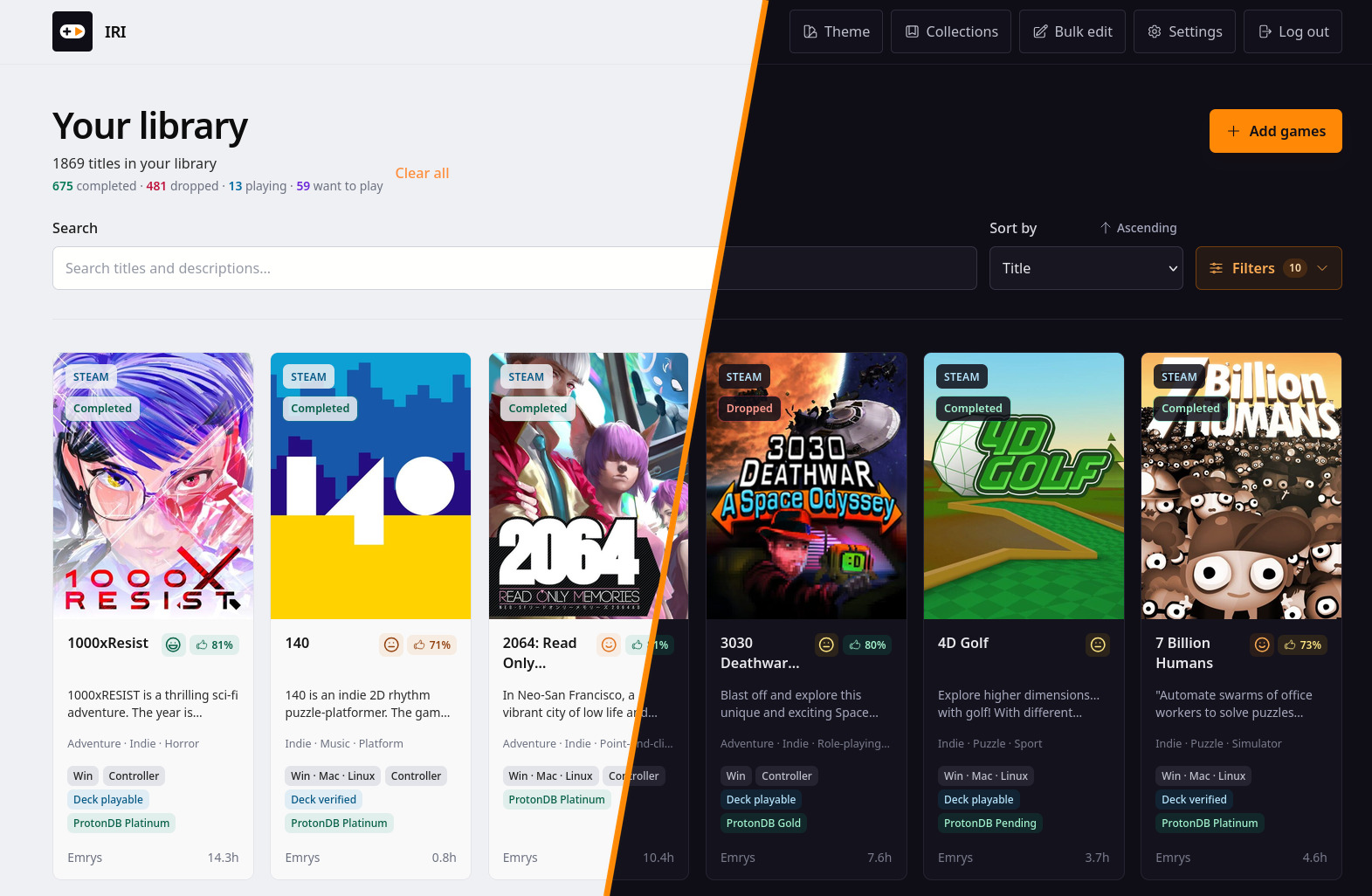
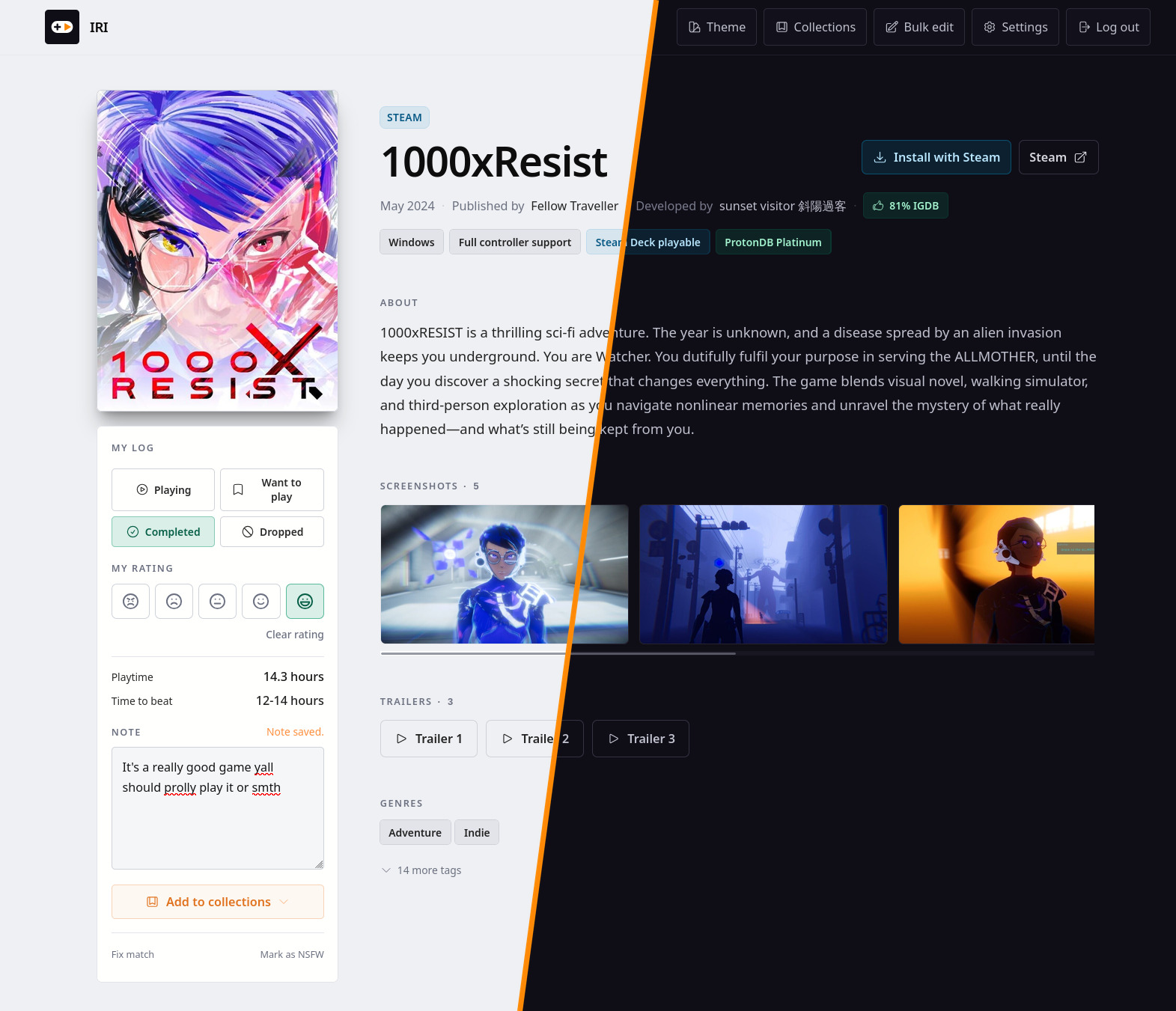
IRI is a self-hosted backlog management tool designed for gamers who want full control over their game collections. It supports importing games from major digital storefronts such as Steam, GOG, Epic Games, PlayStation, and Xbox through various integration methods including API keys, OAuth tokens, or manual import tools. The library features family sharing mode that allows multiple users to browse a shared collection, automatic playtime tracking for supported platforms like Steam and GOG, and detailed game metadata including ratings, tags, genres, and cover art from sources such as IGDB and VNDB.
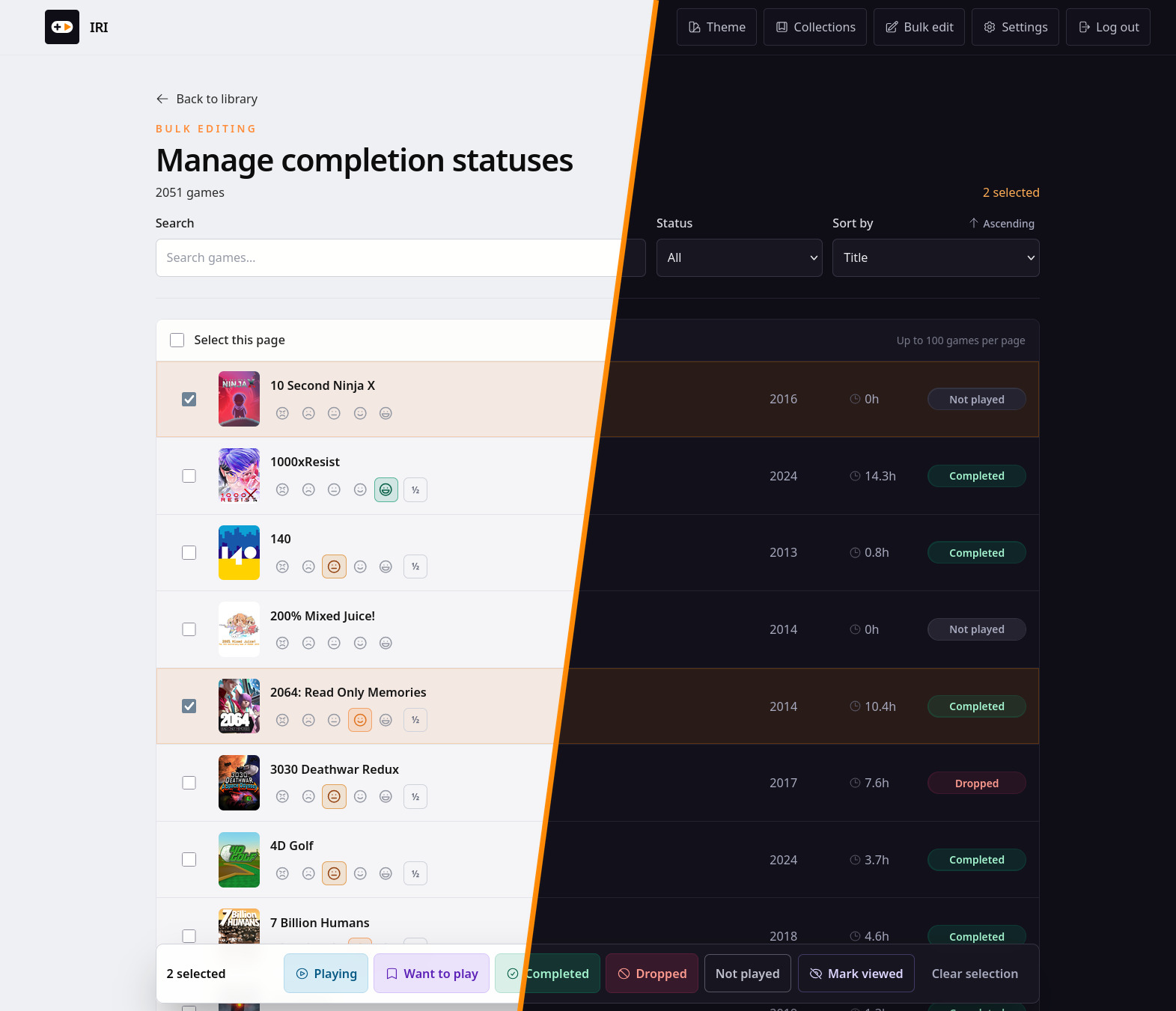
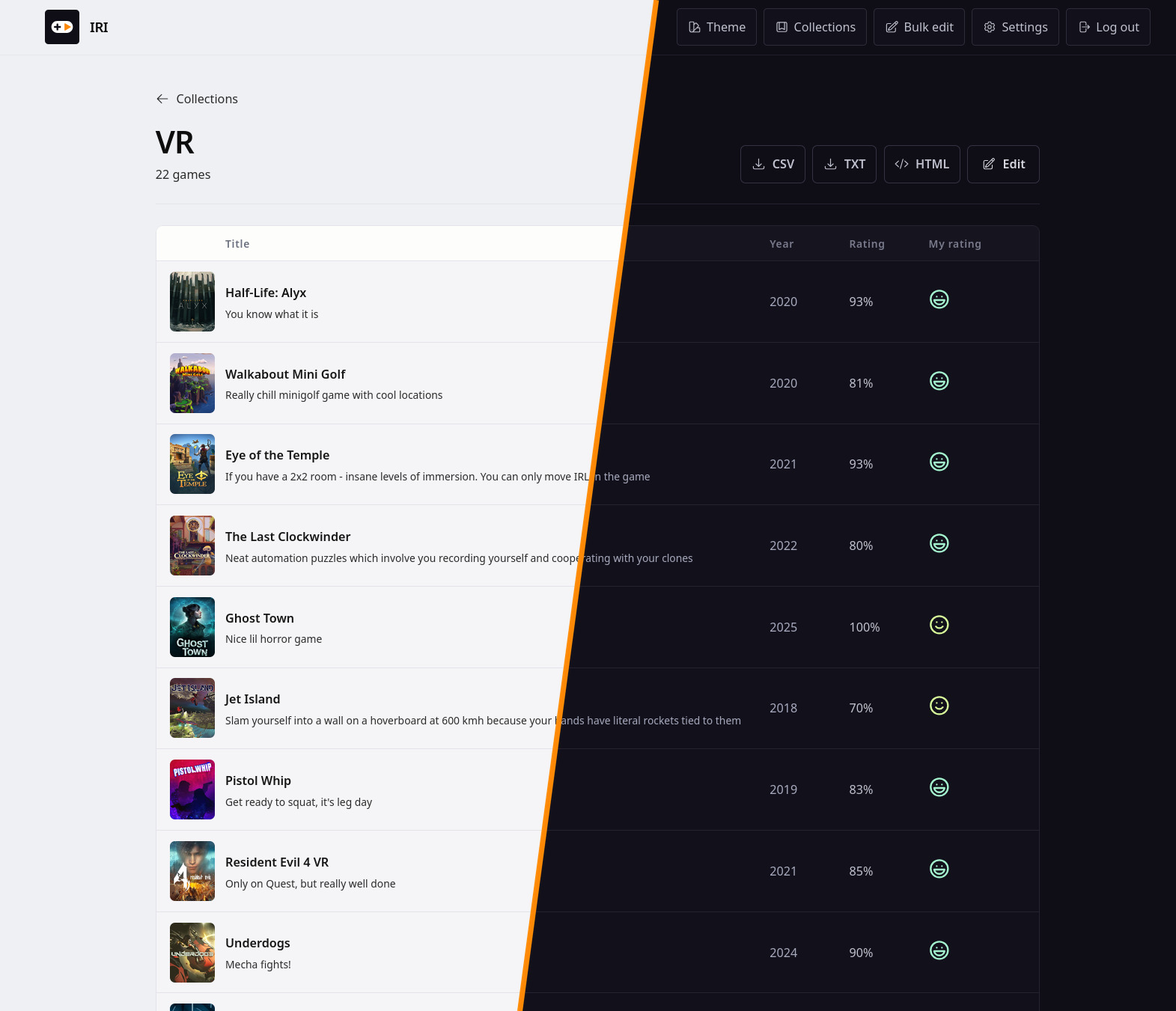
One of the most notable capabilities is IRI's bulk edit functionality, which enables administrators to categorize games, assign owners, set playtime limits, and manage library organization without manually editing each entry. The tool also supports exportable game collections that can be shared with other users via secure links or email attachments, making it ideal for families who want to organize their gaming libraries together.
Another key feature is the AI-powered matching system, which uses natural language processing to suggest games based on user preferences and search queries. This helps users discover new titles they might not have otherwise found through traditional browsing methods. The library also includes a convenient Steam Deck integration that allows users to install games directly from IRI's interface using Steam's built-in installer.
IRI is particularly useful for gamers who want a centralized, well-organized space where all their game collections can be managed in one place. It supports multiple platforms simultaneously and provides robust search capabilities through IGDB and VNDB integrations that allow users to find games by genre, tags, hardware compatibility (such as Steam Deck support), or specific features like platformer genres.
- A family of four wants to organize their combined gaming libraries from multiple platforms into a single shared collection
- A solo gamer with a large library on Steam and GOG wants to categorize, rate, and track playtime for all games in one place
- A group of friends who share accounts across different consoles want to browse and manage their combined game collections together
- A user wants to find new games based on their preferences using IRI's AI-powered recommendation engine
- A gamer with a Steam Deck wants to install popular titles directly from the library interface without downloading them separately
- An organization or school wants to create a shared gaming library for students that can be imported and managed centrally
- IRI supports importing games from multiple platforms including Steam, GOG, Epic Games, PlayStation, and Xbox through various integration methods
- The tool includes a bulk edit feature that allows administrators to organize, categorize, and manage game collections without manual editing of each entry
- Family sharing mode enables multiple users in a household to browse and share the same library, making it ideal for collaborative gaming environments
- IRI does not support importing games from Nintendo platforms (Switch) due to lack of official public API access
- The tool requires a local database (SQLite) which means data is stored on the user's machine and can be lost if the device is wiped or corrupted
- Steam OpenID integration may fail for accounts that have not completed Steam's verification process, limiting import availability
- The AI matching feature only works with providers that expose compatible APIs, so it cannot match games from platforms without official API access
- IRI does not support importing games directly from physical disc drives or manual file uploads
Capturas del proyecto
Imágenes reales detectadas en la documentación del repositorio.
Perfil de infraestructura
Estimación inicial derivada del repositorio y de los servicios detectados.
Despliegue detectado
Qué señales reales de instalación hemos encontrado.
To deploy IRI on a local machine, download the `iri-<tag>-linux-x86_64.tar.gz` release and unpack it into `/opt/iri`. Set environment variables for your database path (`DATABASE_PATH`), secret key (`SECRET_KEY_BASE`), IGDB credentials (`IGDB_CLIENT_ID`, `IGDB_CLIENT_SECRET`), Steam API key (`STEAM_WEB_API_KEY`), and other configuration options. Start the server with `/opt/iri/bin/server`. For Docker deployment, use the provided `docker-compose.yml` file with environment variables for database path, secret keys, and IGDB credentials. Ensure your SQLite database is placed on a reliable local filesystem (avoid NFS or cloud storage) as IRI relies on proper filesystem locking. The application runs on port 4000 by default and can be accessed via HTTP at `http://localhost:4000`.
Stack y dependencias
Componentes inferidos a partir de manifests, configuración y documentación.
Puede sustituir a
Relaciones detectadas por el análisis del repositorio y su categoría.
Experiencia real de la comunidad
Ayuda a contrastar la estimación automática con instalaciones reales.
Todavía no hay datos comunitarios para este proyecto.