Development.md
Rama main · réplica de lectura del repositorio original.
# Introduction
Welcome to the FeatBit development documentation! This guide will walk you through setting up your development
environment, connecting to our code base, and submitting code to the project.
# Get Started
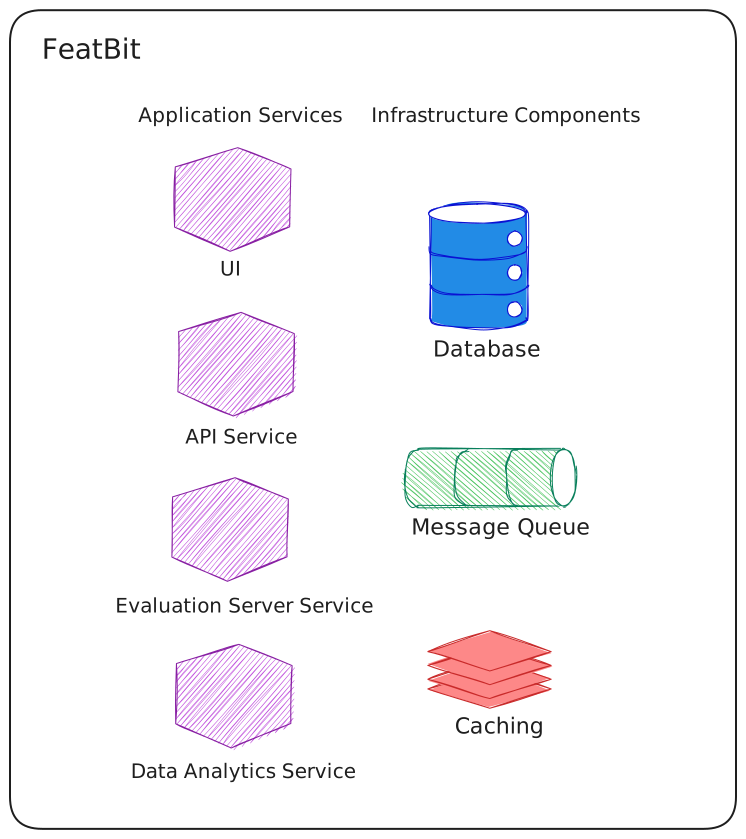
FeatBit consists of multiple services, to learn more about the architecture, please read
our [documentation](https://docs.featbit.co/tech-stack/overview).
To get started, we need to clone FeatBit's repository first.
```bash
git clone https://github.com/featbit/featbit
```
Most of the contribution work will focus on UI and API, we just need to set up their dependencies via docker compose and
launch these two services from the code.
## Setup dependencies
You can setup infrastructure dependencies using the `/docker/composes/docker-compose-infra.yml` file, for example
```bash
cd featbit
# start postgresql and redis
docker compose --project-directory . -f ./docker/composes/docker-compose-infra.yml up -d redis postgresql
```
## Run API
The API project is built with [.NET 10](https://dotnet.microsoft.com/en-us/download/dotnet/10.0), make sure you have the
latest .NET 10.0 SDK installed before you start.
Navigate to **modules/back-end/src/Api** folder and run `dotnet run`, then the Scalar UI should be available
at [http://localhost:5000/scalar](http://localhost:5000/scalar).
## Run UI
The UI uses React, TypeScript, Vite, and shadcn/ui. Use Node.js 22.19, matching the frontend Dockerfile.
```bash
cd modules/front-end
npm ci
npm run dev
```
Open http://localhost:5173. English and Chinese share the same development server; use the language switcher or `/en/` and `/zh/` routes.
Edit `modules/front-end/public/assets/env.js` to configure browser-accessible service URLs. See the [frontend development guide](modules/front-end/README.md) for runtime variables, Docker deployment, and testing.
### Build and test
```bash
npm run build
npm test
npm run test:e2e
```
The production build is written to `modules/front-end/dist/`. Browser tests require Playwright Chromium; container tests additionally require Docker.
### Serve UI under a path
For the standalone UI container, set `BASE_HREF=/abc/def/`. The entrypoint normalizes the path, updates the HTML asset URLs, generates runtime configuration, and configures Nginx. See the [frontend guide](modules/front-end/README.md) for the current deployment contract.
### Internationalization
The UI uses `react-i18next`. English and Chinese translations are maintained in TypeScript modules under `modules/front-end/src/lib/i18n/resources/` and registered in `src/lib/i18n/i18n.ts`.
Update both languages when adding or changing UI text. Preserve semantic translation keys and use interpolation for dynamic values. Run `npm test` to include the existing i18n checks.