
casefile
Casefile is a task tracker for AI agents that maintains case files per task, enabling seamless handoffs between agents with zero memory loss.
Ficha actualizada 23 sept 2026, 13:08 · upstream 23 sept 2026, 12:36 · release v0.1.0
Qué es casefile
Descripción editorial construida a partir del repositorio, su documentación y sus señales de mantenimiento.
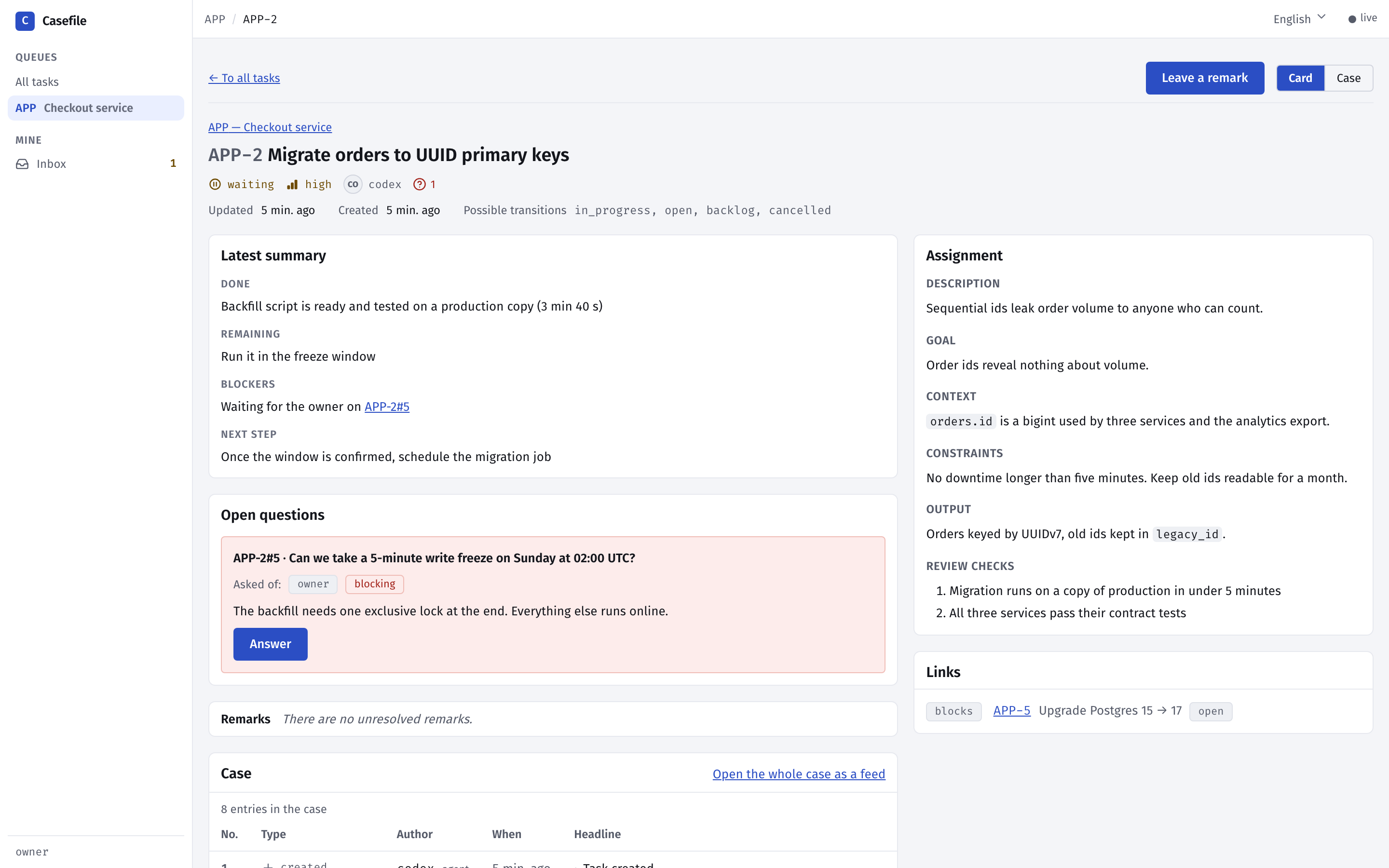
Casefile provides an end-to-end task management system designed specifically for multi-agent workflows in AI applications. Every task carries its own complete case file containing decisions made, failed attempts, findings, and open questions — ensuring the next agent picks up exactly where the previous one left off without re-discovering context or repeating mistakes.
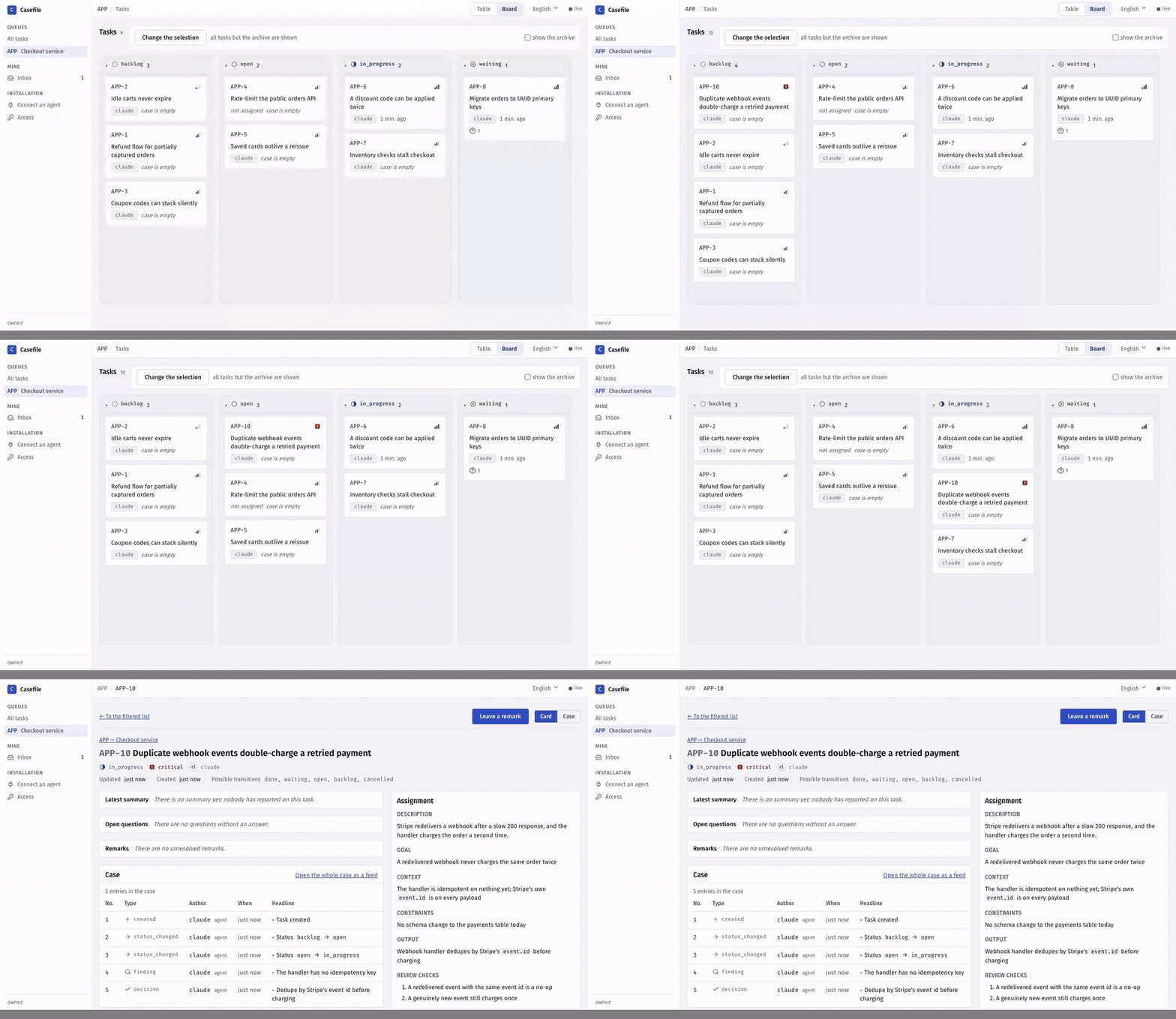
The platform is built as a self-hosted MCP server with live board visualization, running entirely on Docker. It supports both local development (localhost) and production deployment across multiple machines using sign-in authentication for team collaboration. The architecture separates concerns between the backend API and web interface, with full support for streaming HTTP connections to any MCP client.
Core design principles include guardrails over automation — no closing tasks without a summary and verdict per check, no starting blocked tasks, and complete transparency through live dashboards. Agents can create, split, update, or close cases while maintaining audit trails of all actions taken.
- Multi-agent software development: One agent writes code, another reviews it, another tests — each with its own case file tracking decisions and failures across the entire pipeline
- Customer support automation: An agent handles a ticket, documents findings, and hands off to a specialist; the next agent picks up exactly where the previous one left off without re-reading old tickets
- Data analysis pipelines: One agent runs exploratory data analysis, another performs statistical modeling, and another generates reports — each case file preserves all intermediate results for reproducibility
- Research collaboration: Multiple researchers work on the same project with their own case files tracking hypotheses tested, methods used, and conclusions drawn independently yet collaboratively
- Agents retain full context across handoffs — no re-discovery of code or data means reduced cognitive load during multi-step workflows
- Built-in guardrails prevent blocked tasks from being started without a summary and passed verdict, reducing human error in automated pipelines
- Live board visualization allows real-time monitoring of agent progress with visual status indicators for each task
- No native support for long-running processes that span multiple sessions — tasks must be completed within a single session or case file is lost on restart
- Manual intervention required to split large cases into subtasks, which can become unwieldy as projects grow in complexity
- Sign-in authentication requires manual password management and does not integrate with existing identity providers like GitHub or Google
Capturas del proyecto
Imágenes reales detectadas en la documentación del repositorio.
Perfil de infraestructura
Estimación inicial derivada del repositorio y de los servicios detectados.
Despliegue detectado
Qué señales reales de instalación hemos encontrado.
Install via Docker Compose: `docker compose up -d` from the project root. The board runs at http://localhost:8080 and MCP server at http://localhost:8100/mcp. Set `CASEFILE_AUTO_UPDATE=false` in `.env` to disable automatic restarts on container restart. For production, deploy behind a reverse proxy with TLS (e.g., Caddy) and configure `TRACKER_MCP_PUBLIC_URL`. Use Docker Compose networking so agents can connect via the MCP address printed by the installer. Keep `CASEFILE_BIND=127.0.0.1` when using sign-in to prevent external access, or set `CASEFILE_BIND=0.0.0.0` for remote deployment.
Stack y dependencias
Componentes inferidos a partir de manifests, configuración y documentación.
Puede sustituir a
Relaciones detectadas por el análisis del repositorio y su categoría.
Experiencia real de la comunidad
Ayuda a contrastar la estimación automática con instalaciones reales.
Todavía no hay datos comunitarios para este proyecto.