examples/react-native/README.md
Rama main · réplica de lectura del repositorio original.
# Example of using Builder.io with React Native (beta)
## About
This is an early preview of our Builder.io SDK for React native. See [[page].jsx](./app/[page].jsx) for usage. The visual editing is powered by [react-native-web](https://github.com/necolas/react-native-web). This example uses [Expo](https://expo.io/), but Expo is not required for using Builder.io with React Native
## Getting Started
```bash
git clone https://github.com/BuilderIO/builder.git
cd examples/react-native
npm install
npm run web
```
Check out this short video recording on how to get started: https://www.loom.com/share/afd7c9a1f8f148959ea0396be42560fd
For text instructions:
- log into `builder.io`
- copy your API key and paste it into `BUILDER_API_KEY` in `[page].jsx`
- open the Visual Editor for the model named "page" (or change [[page].jsx](./app/[page].jsx) to be `model="your-model-name"`)
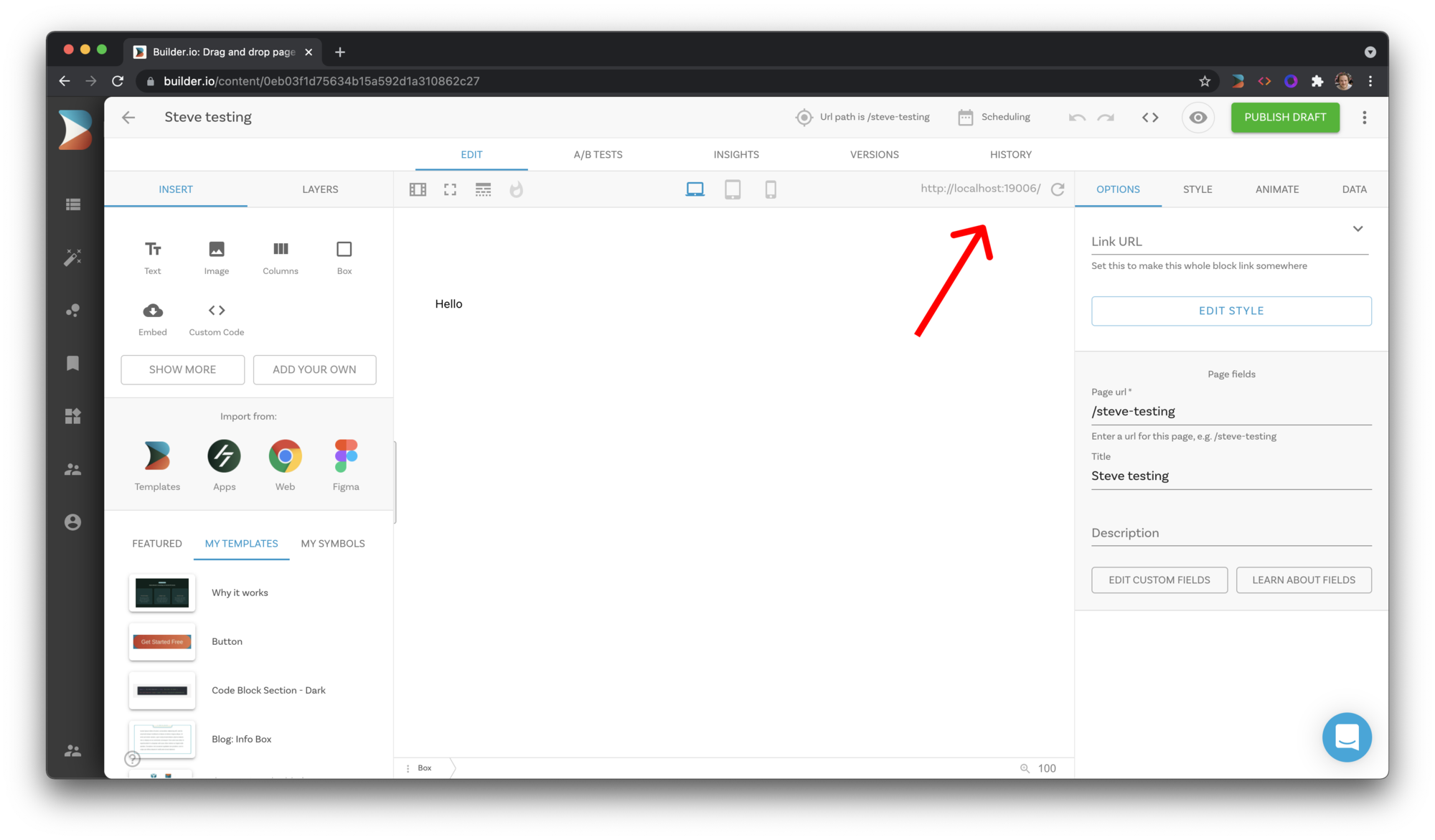
- enter `http://localhost:19006` in the URL bar to the top right of the preview in Builder
- drag a component into the layers tab, and it will appear in the Editor!
## Status
For the status of the SDK, look at [these tables](/packages/sdks/README.md#feature-implementation).
## Todo
- Hooks for handling links clicked
- Support more built-in components (forms, etc)
- Support responsive styles
- Support data bindings