README.md
Rama main · réplica de lectura del repositorio original.
# Bugsink: Error Tracking Made Simple
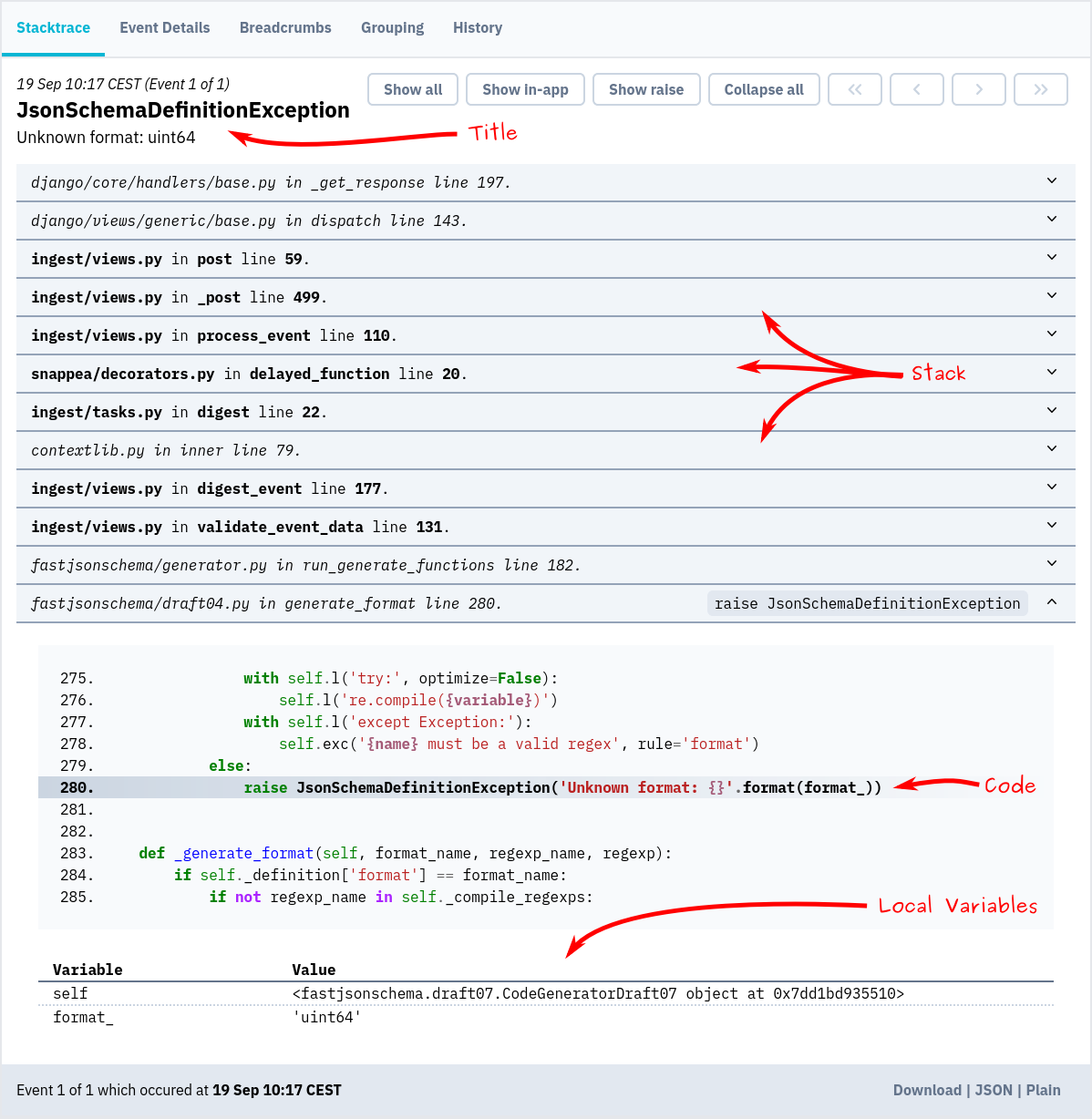
Bugsink shows you when your code fails in production and why, with full stacktraces, local variables, and request
context.
**[Sign Up](https://www.bugsink.com/register/15K/)** and let us run Bugsink for you, or
**[Self-Host](https://www.bugsink.com/docs/installation/)** on infrastructure you control.
* [Error Tracking](https://www.bugsink.com/error-tracking/)
* [Sentry-SDK compatible](https://www.bugsink.com/connect-any-application/)
* [Scalable and reliable](https://www.bugsink.com/scalable-and-reliable/)
* [Built to self-host](https://www.bugsink.com/built-to-self-host/)
### Screenshot
### Self-hosting & docs
To try self-hosting Bugsink, spin up a throw-away instance using Docker:
```
docker pull bugsink/bugsink:latest
docker run \
-e SECRET_KEY=PUT_AN_ACTUAL_RANDOM_SECRET_HERE_OF_AT_LEAST_50_CHARS \
-e CREATE_SUPERUSER=admin@example.org:admin \
-e PORT=8000 \
-p 8000:8000 \
bugsink/bugsink
```
Visit [http://localhost:8000/](http://localhost:8000/), where you'll see a login screen. The default username and password
are `admin`.
Now, you can [set up your first project](https://www.bugsink.com/docs/quickstart/) and start tracking errors.
[Detailed installation instructions](https://www.bugsink.com/docs/installation/) are on the Bugsink website.
[More information and documentation](https://www.bugsink.com/)